For contractors, builders and trade businesses still running jobs on scattered spreadsheets, texts and memory

Attention: contractors who are tired of losing money between the quote and the final payment

Run Your Whole Contracting Business, From First Quote To Final Payment, On Spreadsheets You Already Know How To Use

13 finished tools and 23 printable site sheets. No monthly fee, no learning curve. Open them in Excel or Google Sheets, type in the white cells, and more than 160,000 working formulas do the rest.

A letter to every contractor who runs jobs on spreadsheets

Dear Contractor,

If you run jobs for a living, I want you to picture a normal Friday night.

The quote you sent on Tuesday lives in an email. The budget lives in your head. The punch list is spread across three text threads. Two invoices you meant to send are still sitting in a folder. And payroll is due next Friday, but you’re not sure the client’s check will clear first.

None of this feels like a problem while the job is going well.

It becomes a problem the day the money runs out before the work does.

Contractors rarely go under for lack of work. They lose money in small leaks:

Every one of those has a fix. You don’t need to work harder. You need one place where every number on the job is written down once, and the math is done for you.

That is exactly what I built for you.

Why the usual fixes don't work

You've Probably Already Tried One Of These Three Things

FIX #1

"I'll buy construction software."

Then you pay per user, per month, forever. Your crew won’t log in, half the features don’t fit how you work, and the day you stop paying, your data is gone.

FIX #2

"I'll build my own spreadsheet."

Three weekends later you have one tab, two broken formulas and no dashboard. And you still don’t trust the totals, because you can’t tell which cell is wrong.

FIX #3

"I'll just keep it in my head."

It works on one job. It falls apart on three. And it gives you nothing to show a client, an inspector, a bank or an insurer when there’s an argument.
There is a fourth option. Tools built specifically for contractors, already finished, already tested, running in the spreadsheet program you have on your computer right now.

Introducing

The Complete Contractor Toolkit

Thirteen connected spreadsheet tools that follow a job through its whole life, plus twenty-three printable sheets for the site file:

WIN

Quotes
Sales
Clients

RUN

Projects
Resources
Timesheets
Quality
Safety
Subs

GET PAID

Invoices
Cash flow

PROFIT

Budget
Job profit
Each tool opens on a Welcome page with buttons to every tab, a dashboard that builds itself, and a Check column on every log that says OK when a row is right and tells you exactly what to fix when it isn’t. Here is everything inside.

01

Win The Work

Price it right, follow up every lead, and keep the client close.

12 tabs

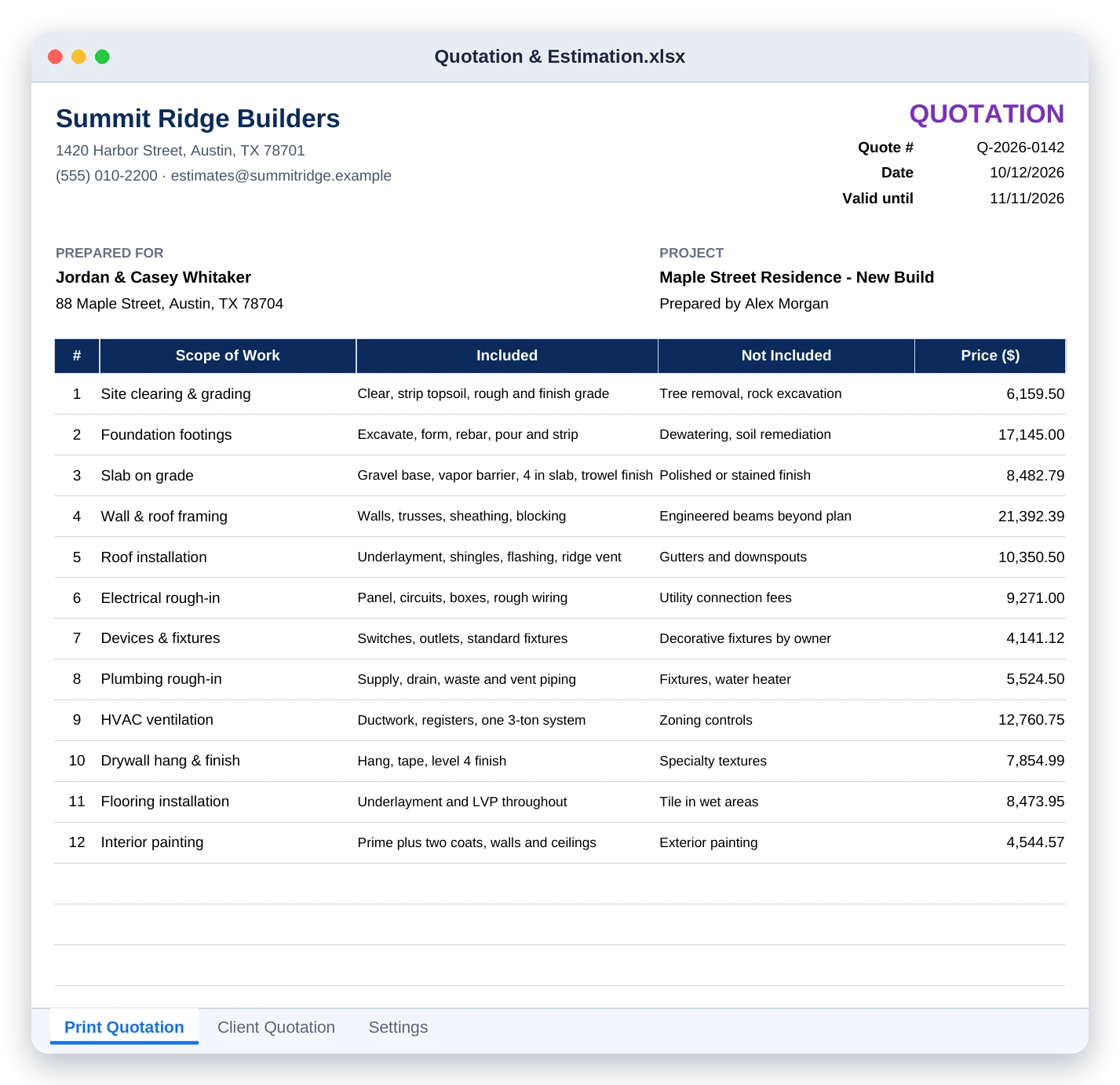
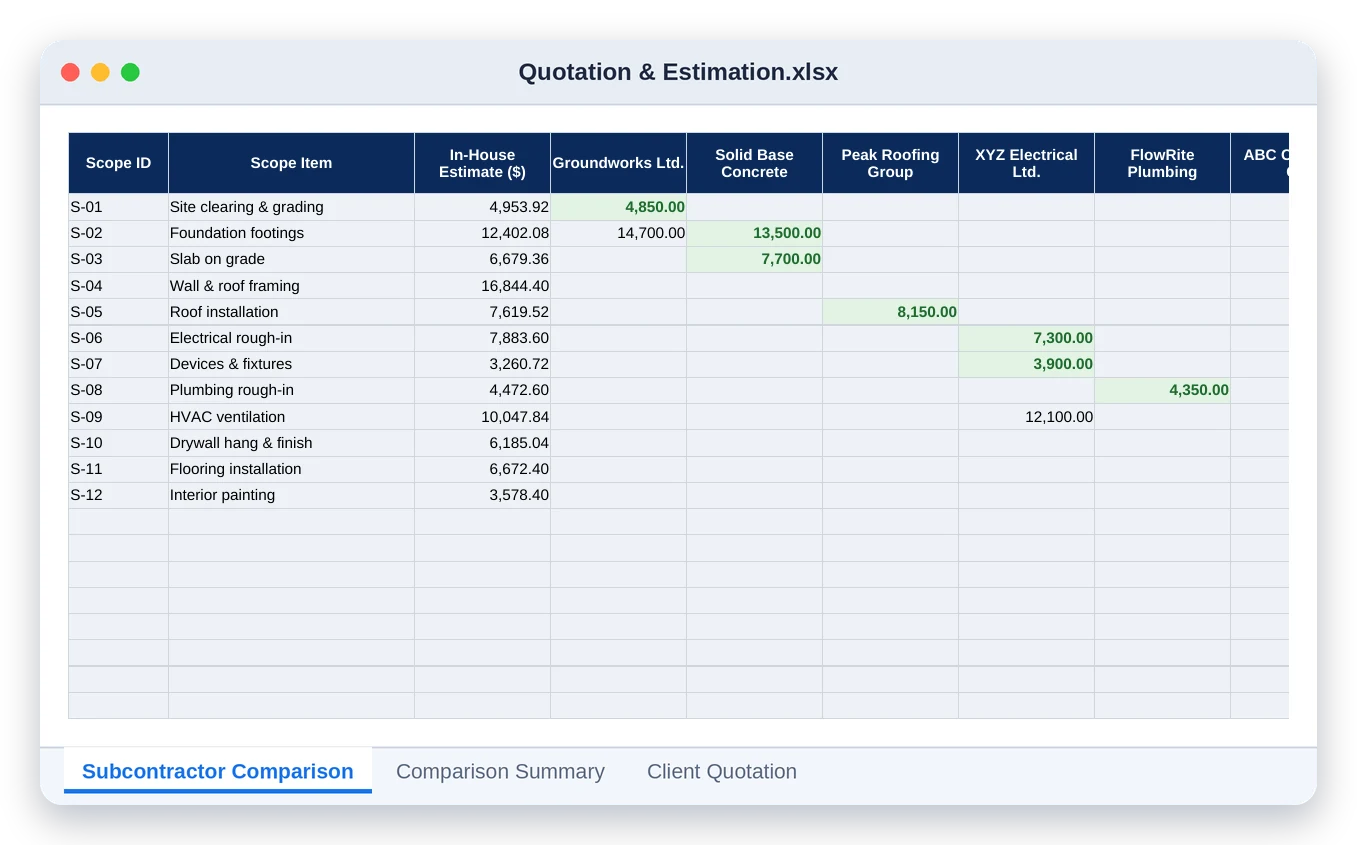
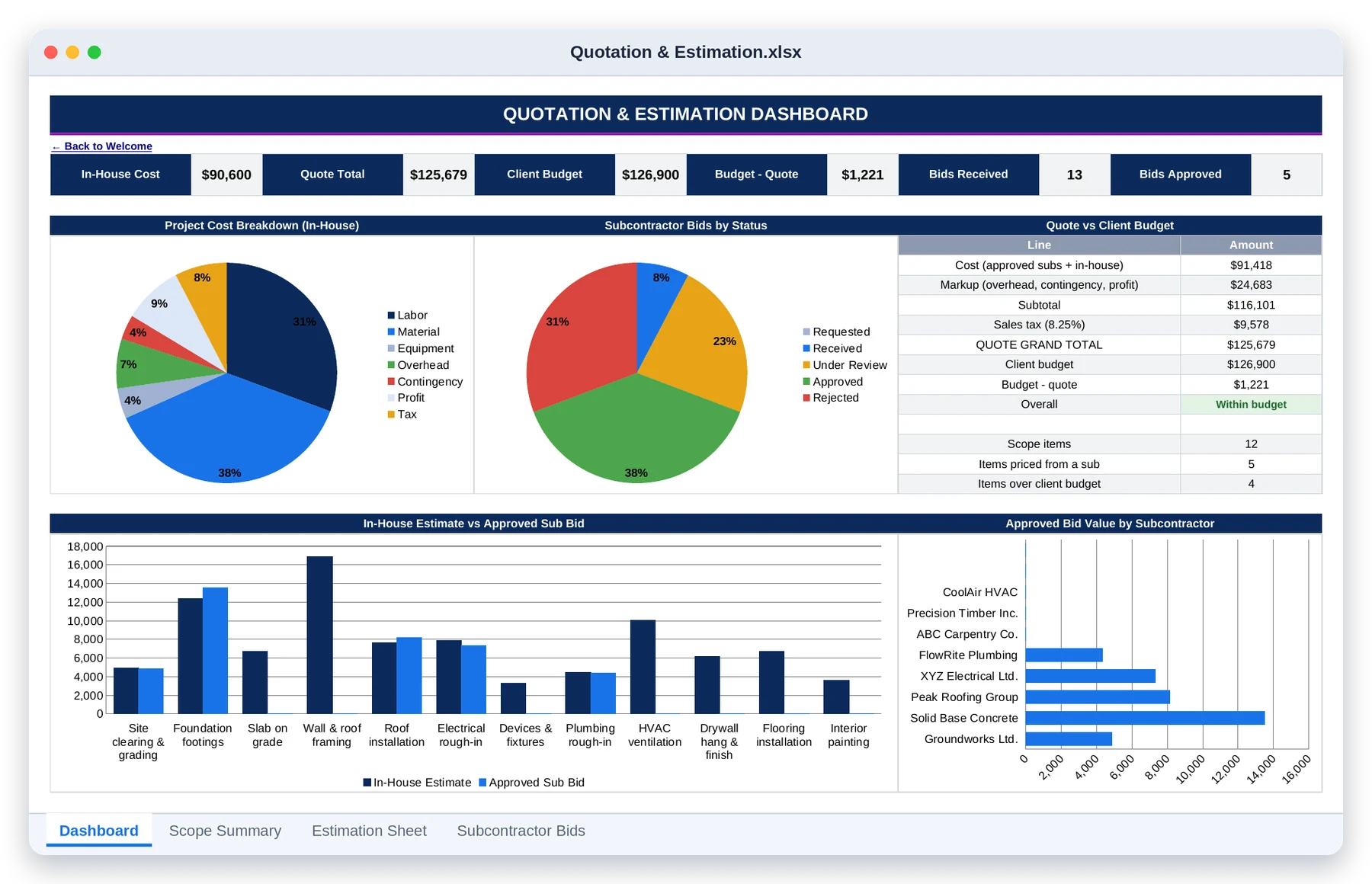
Quotation & Estimation: price the job and send the quote

Dashboard · Estimate, quote total, client budget and bid status in one view
Printed quotation · The client-ready quote with what's included and excluded on every line
Sub comparison · Every sub's bid beside your estimate, lowest highlighted in green

10 tabs

Sales & Commission Tracker: every rep on their own locked sheet

Team dashboard · Revenue won, cash collected, pipeline forecast and commission payable
Agent dashboard · One rep's pipeline, commission wallet and progress to target, locked

7 tabs

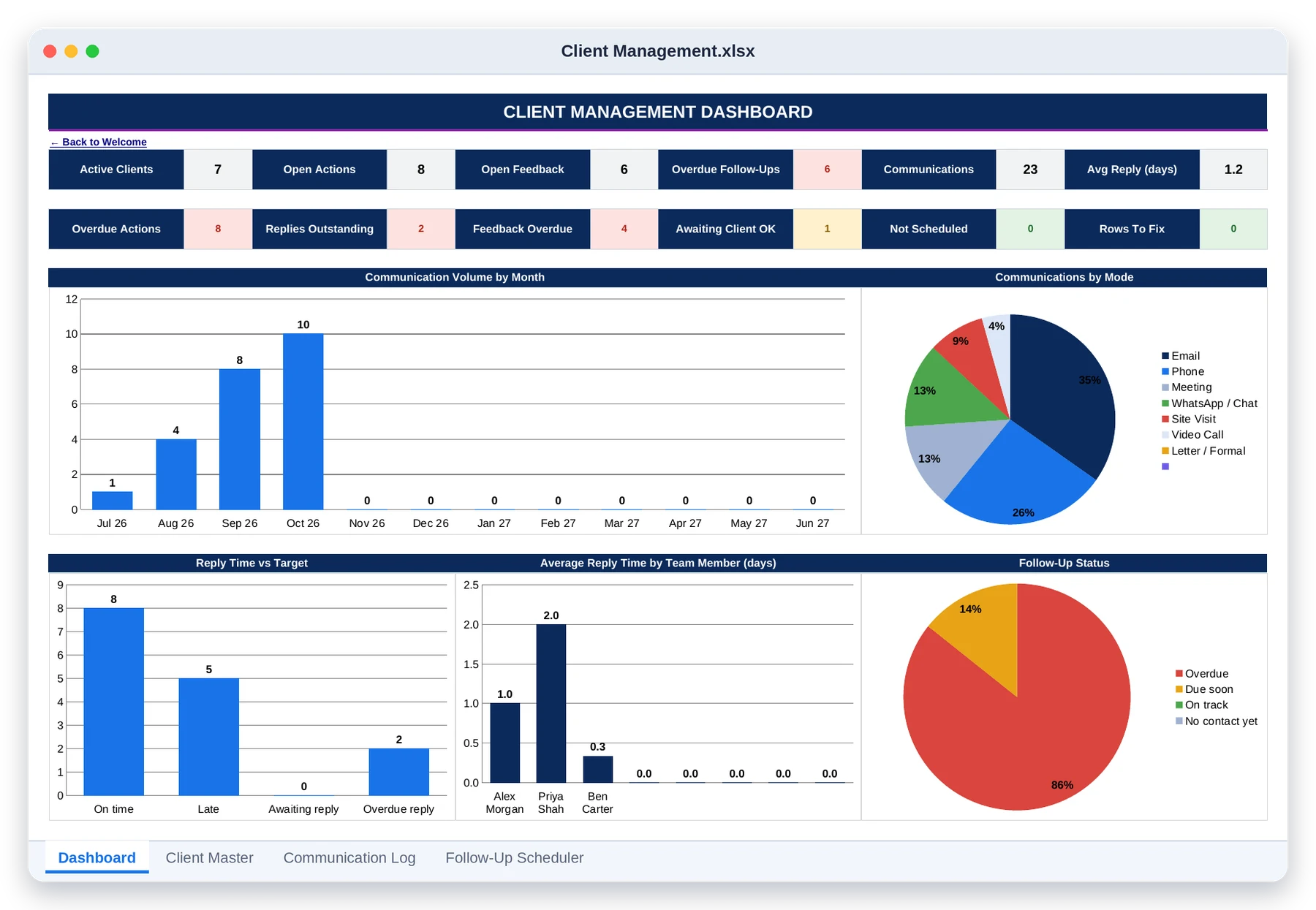
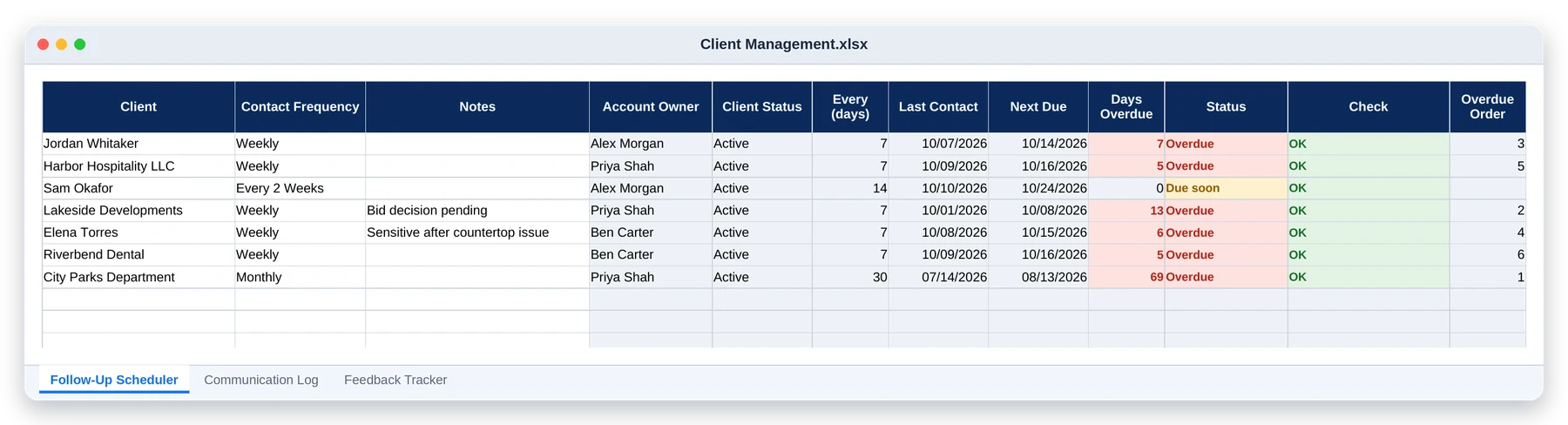
Client Management: nobody goes quiet by accident

Dashboard · Active clients, open actions, overdue follow-ups, reply times and top clients
Follow-up scheduler · Each client's contact frequency, next due date and days overdue

02

Run The Job

Schedule, crew, hours, materials, quality, safety and the subs you hire.

17 tabs

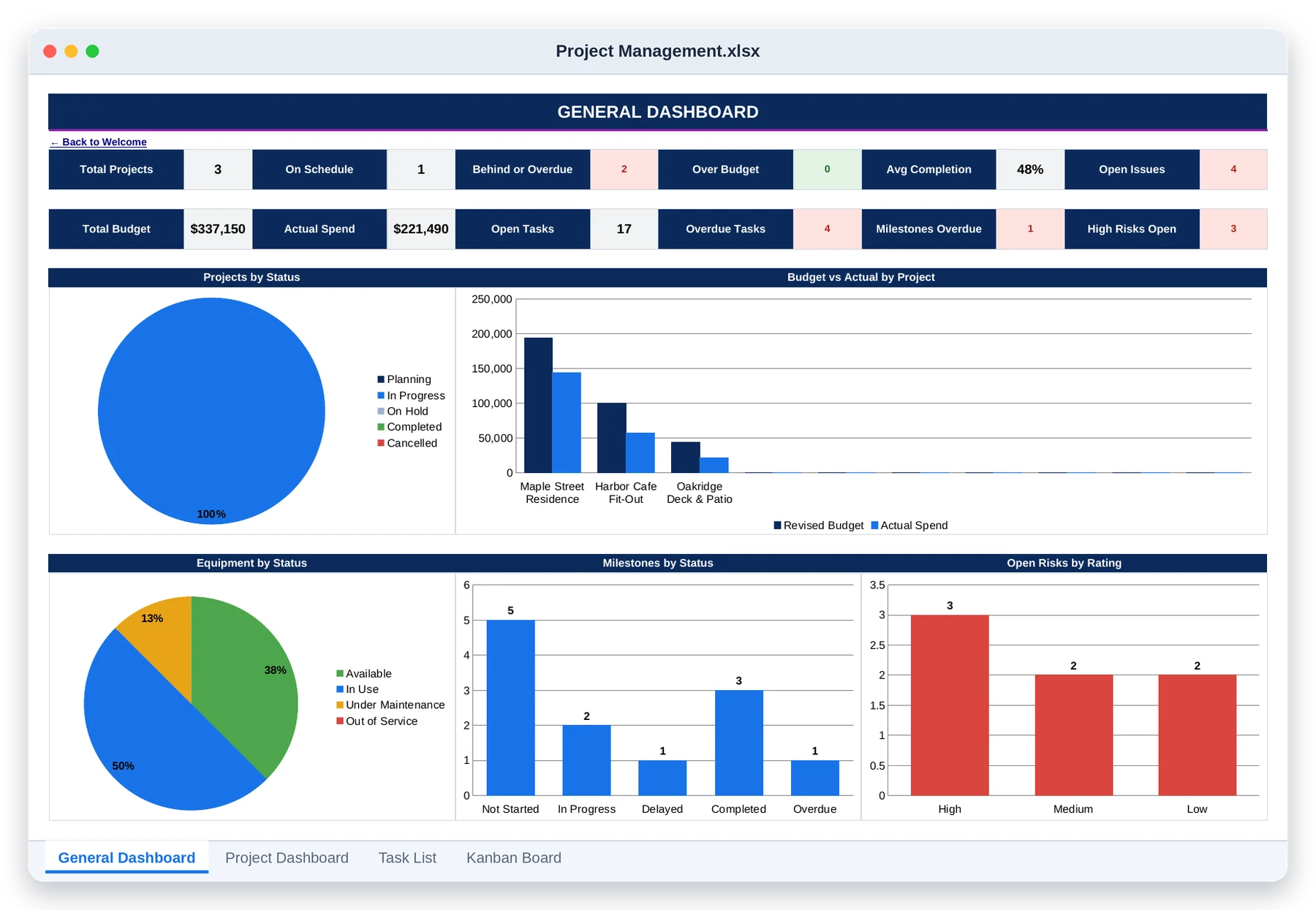
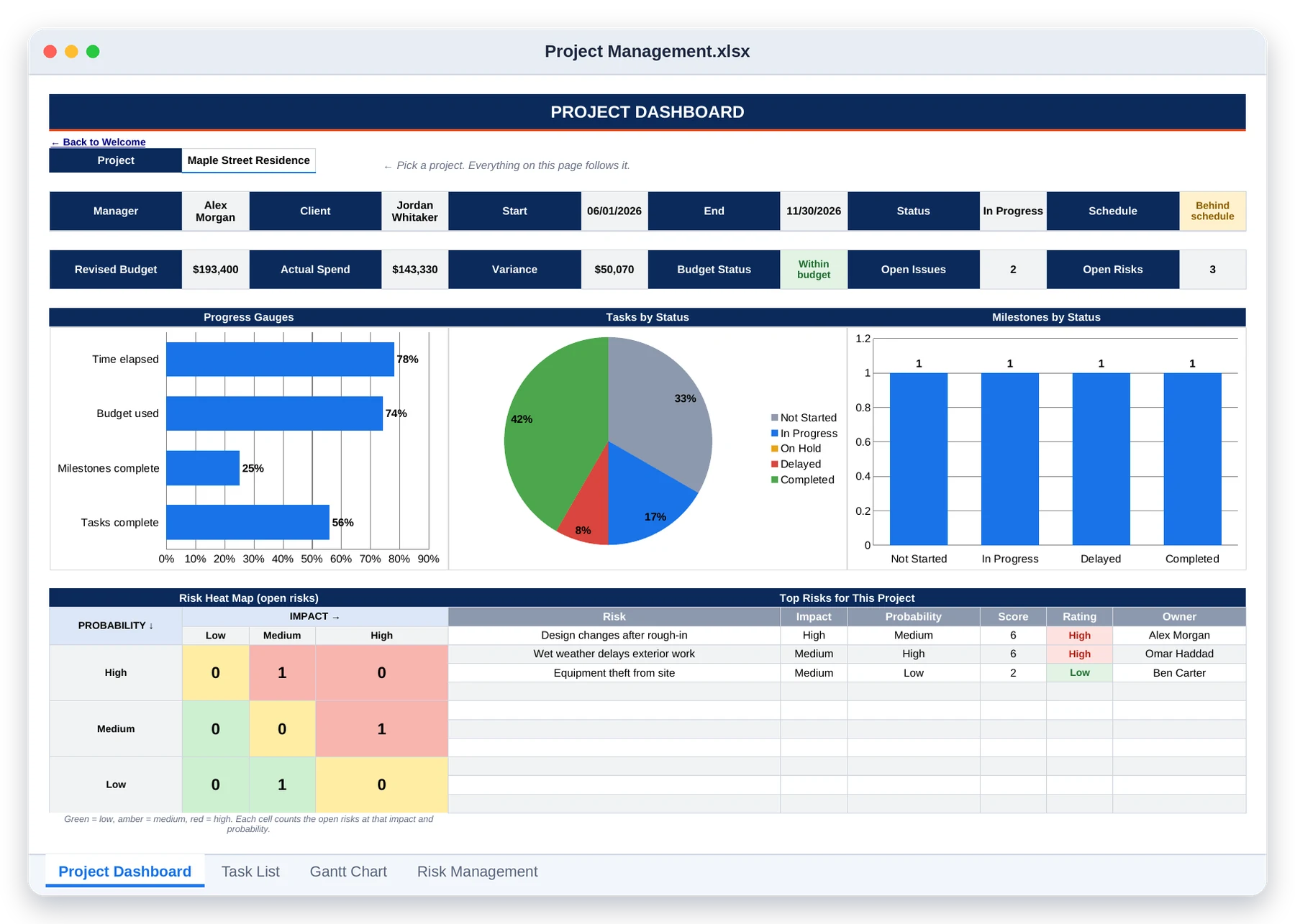
Project Management: seventeen tabs, one command centre

Portfolio dashboard · Every project's schedule, budget, completion, equipment and risk on one screen
Project dashboard · Pick one project: progress gauges, task and milestone charts, risk heat map
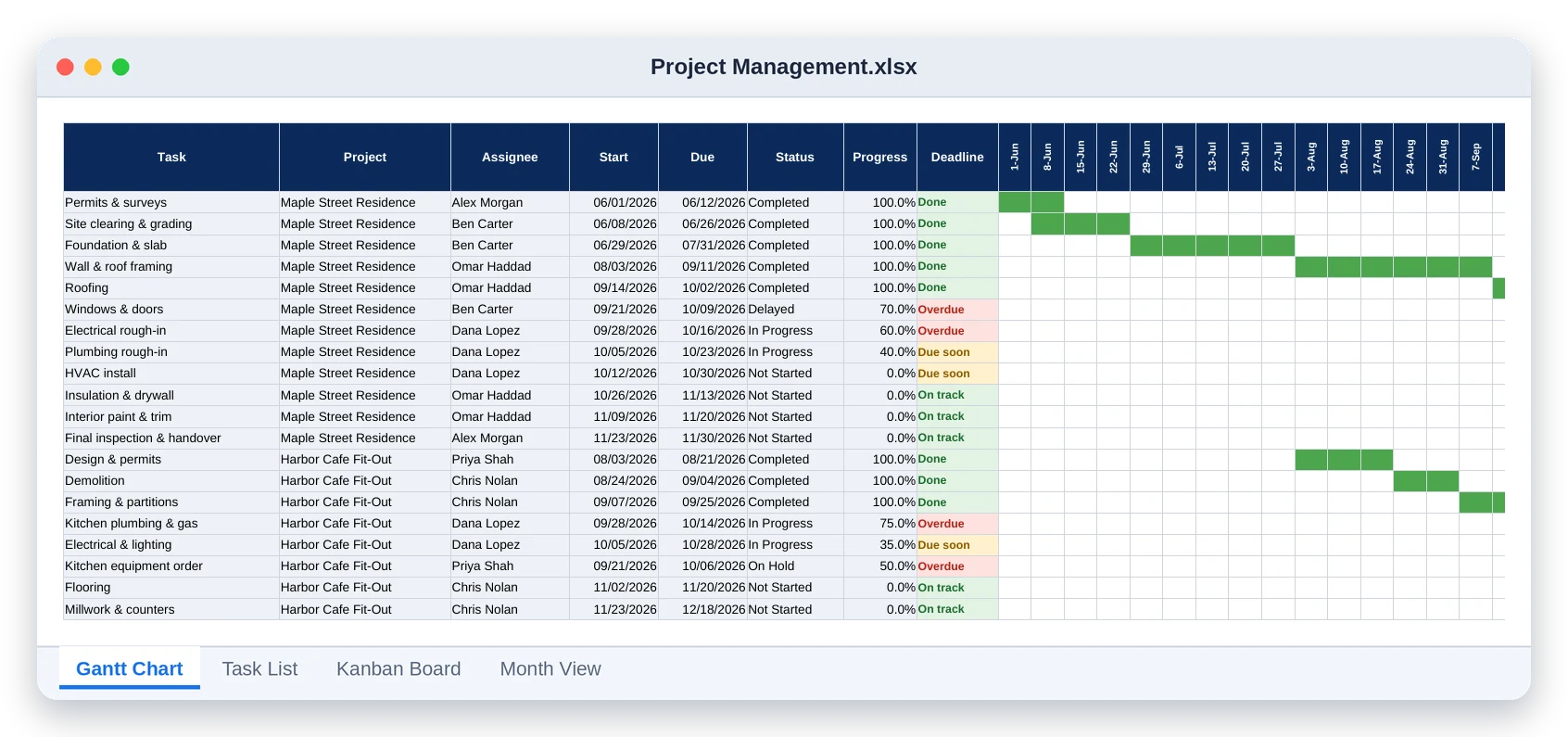
Gantt chart · A bar per task: green when done, red when overdue, built from the task list
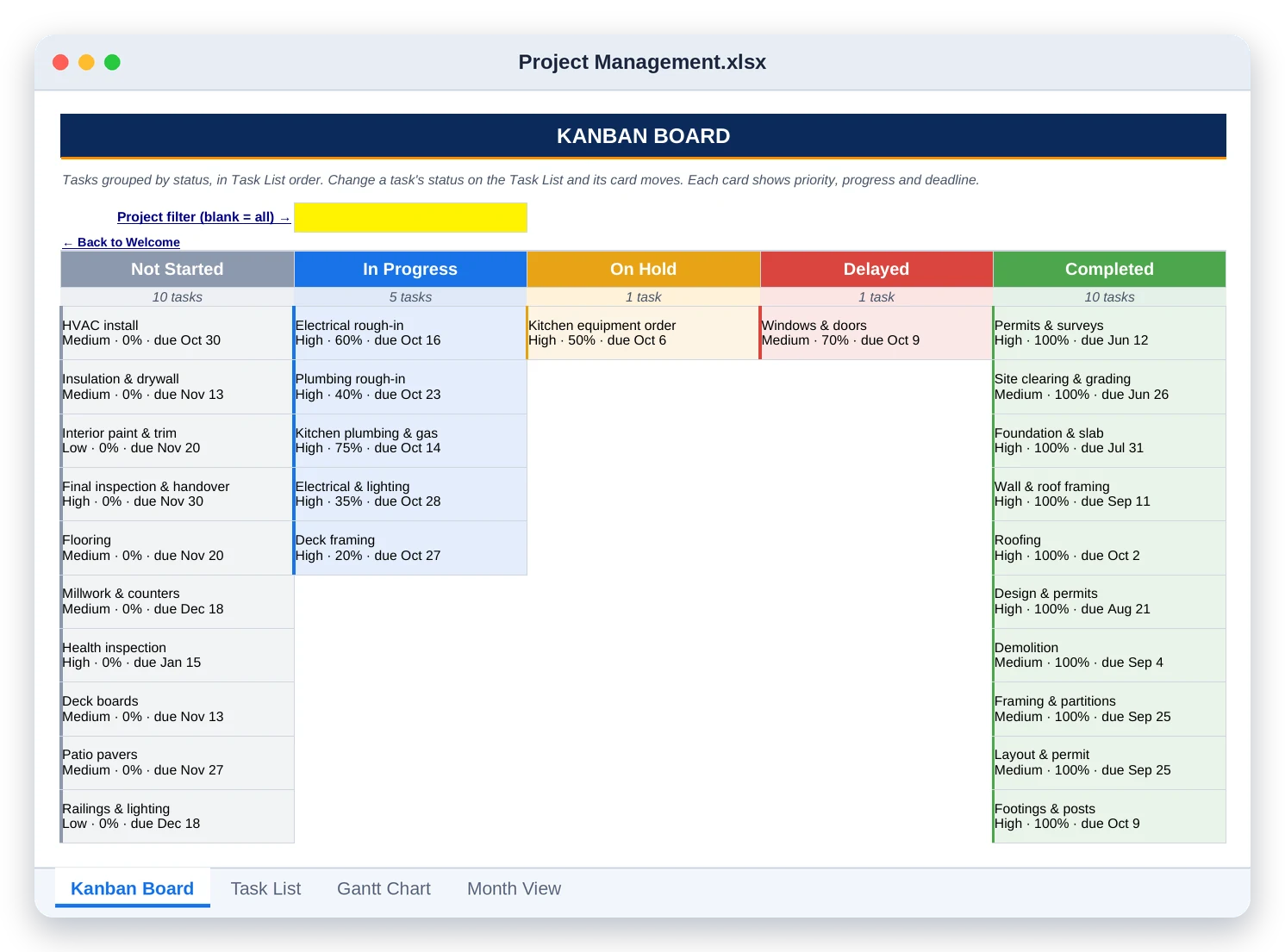
Kanban board · Tasks grouped by status, each card showing priority, progress and deadline

6 tabs

Resource Management: materials, equipment and hours, all costed

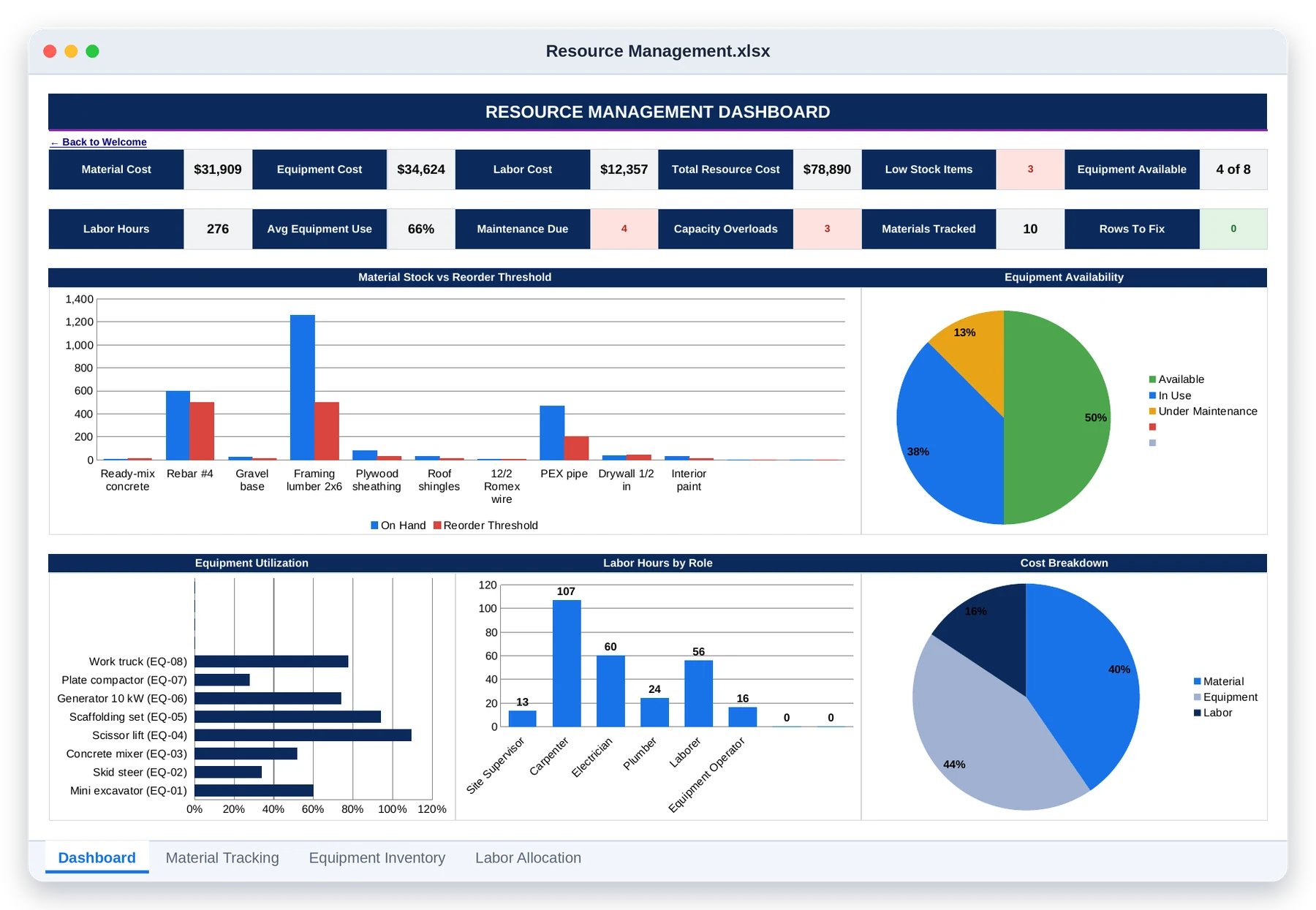
Dashboard · Stock against thresholds, equipment availability, utilization and cost by phase
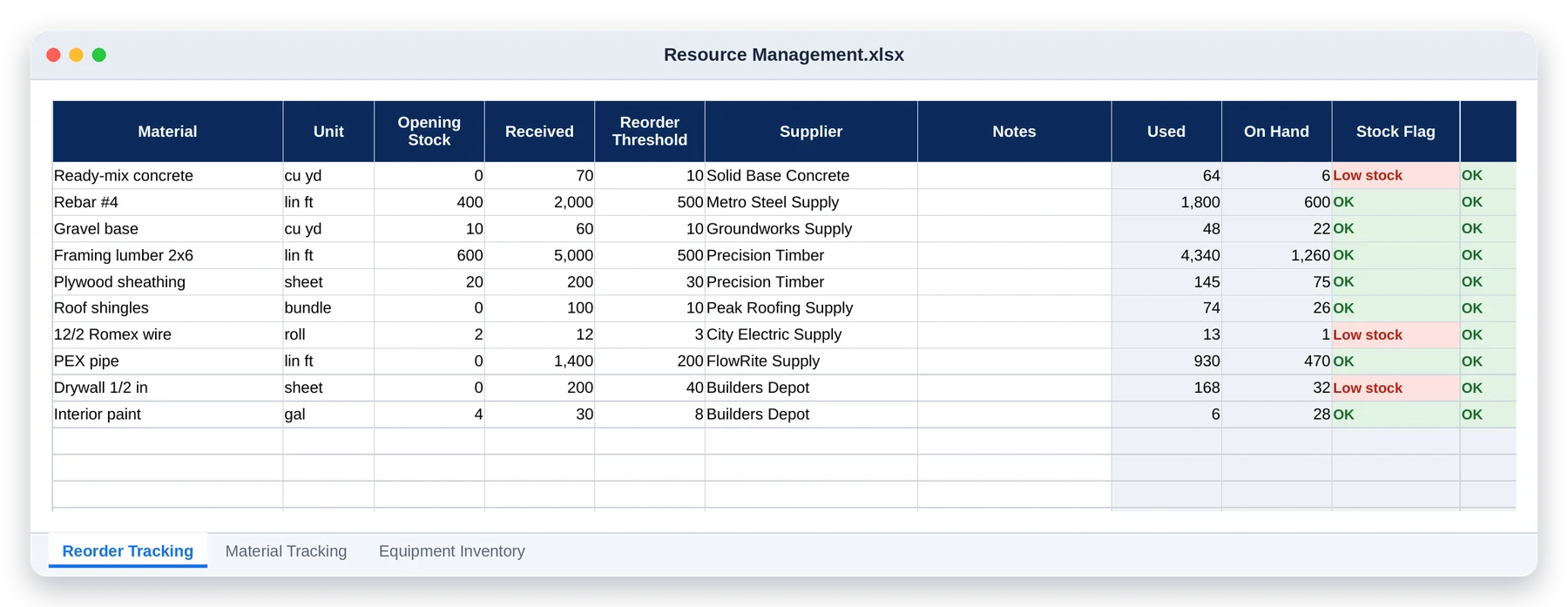
Reorder tracking · Stock on hand worked out from usage, with low stock flagged in red

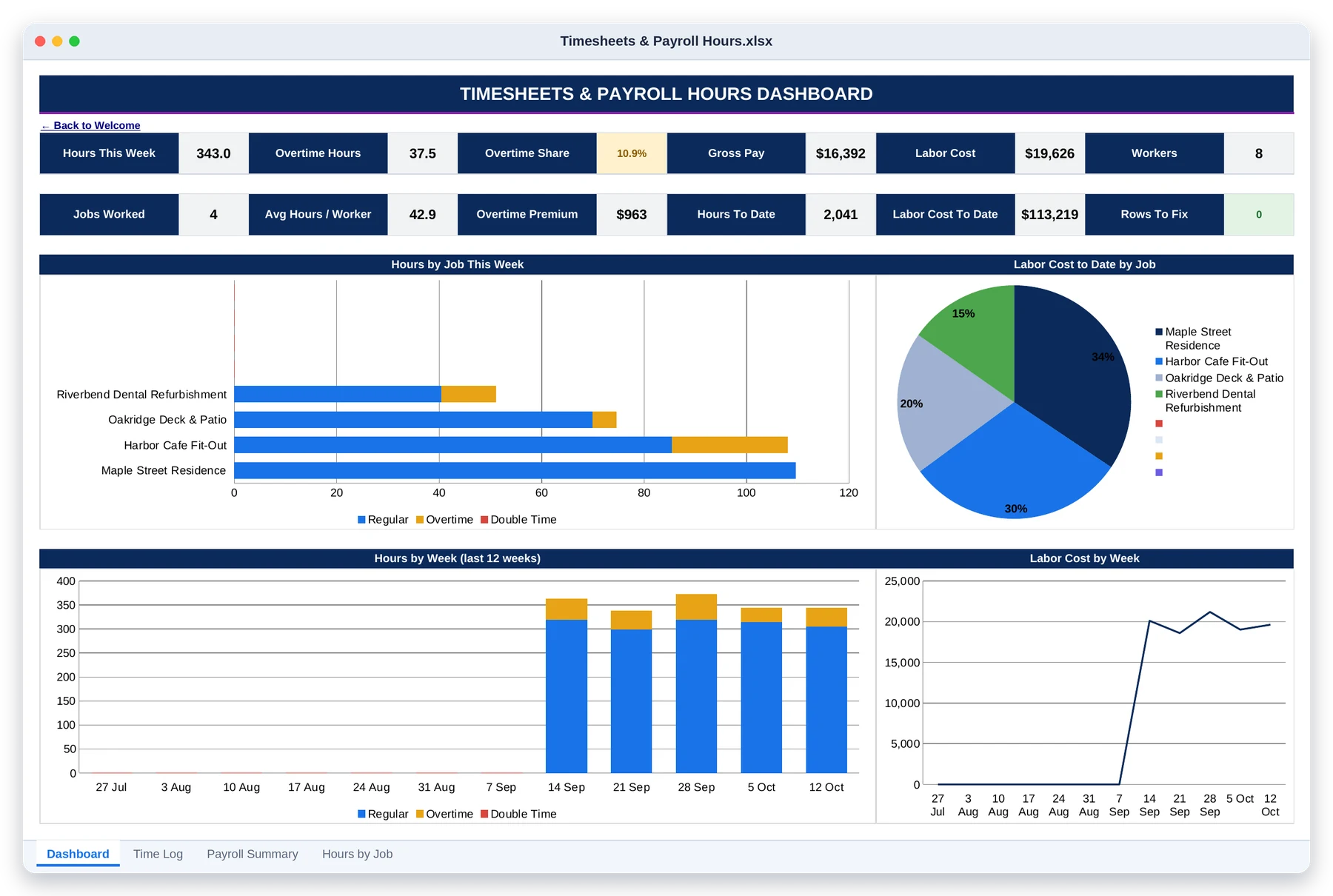
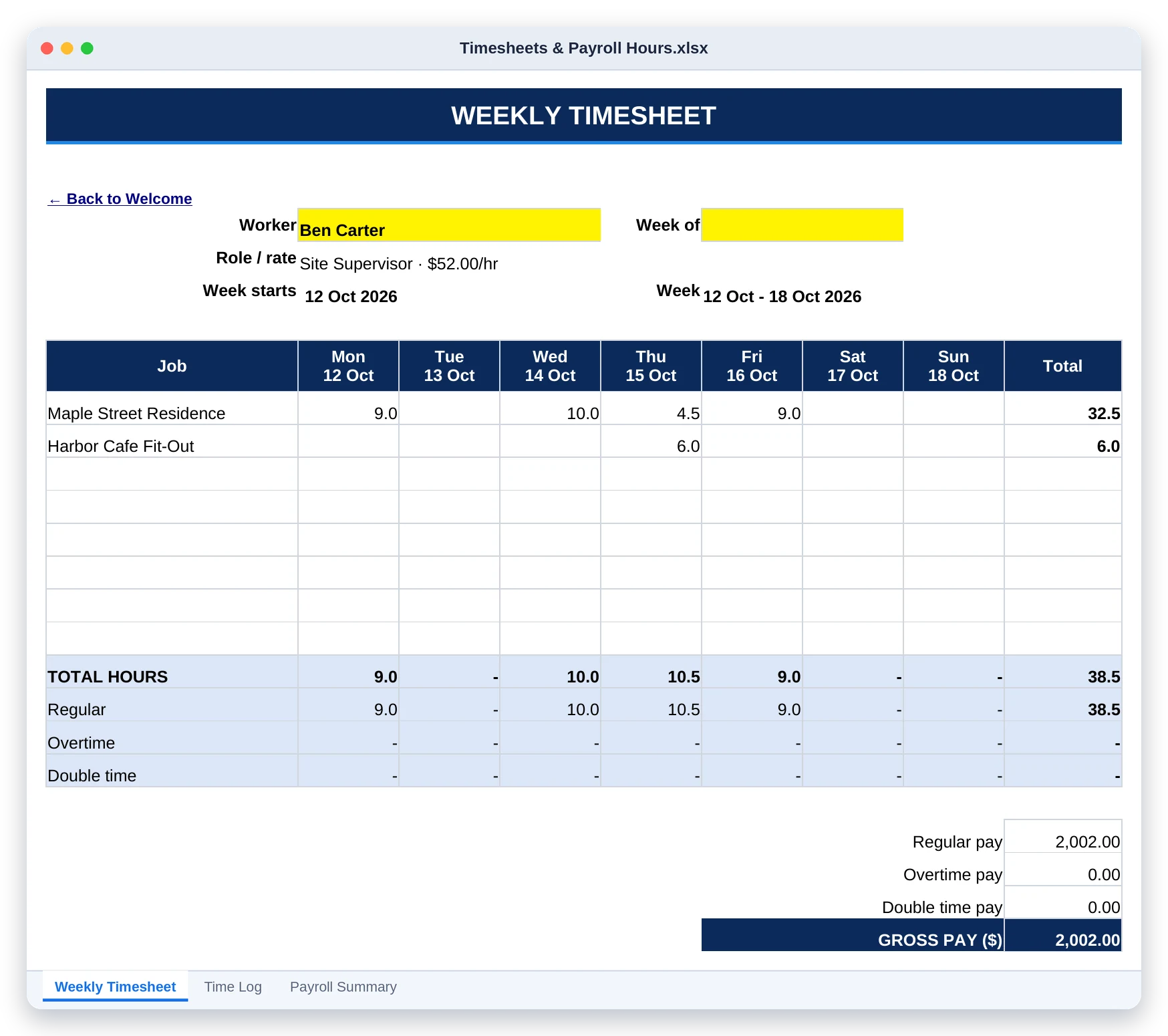
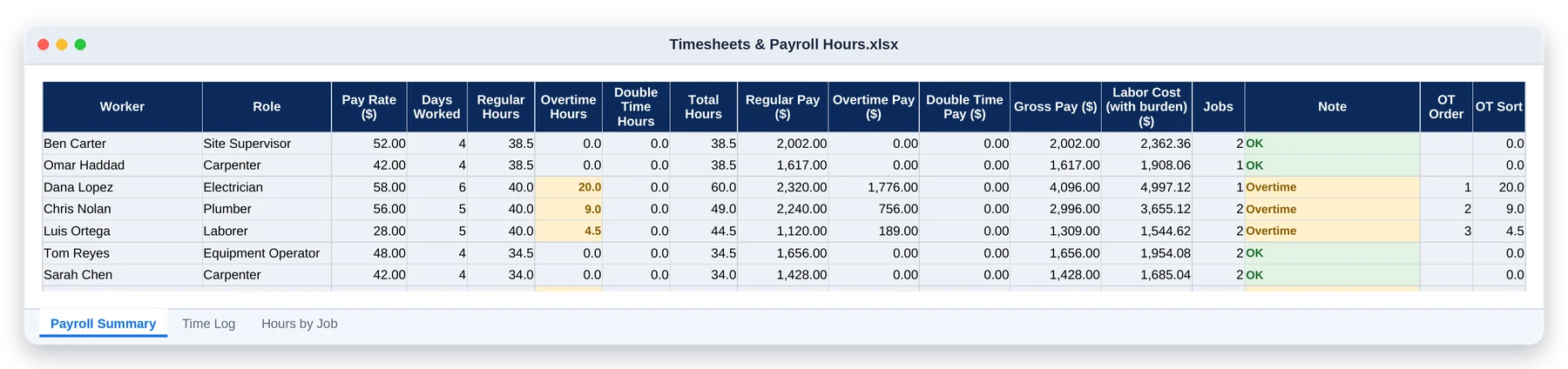
Timesheets & Payroll Hours: overtime worked out, labor costed by job

Dashboard · Hours, overtime share, gross pay and labor cost for the week, with a 12-week trend
Weekly timesheet · Jobs down the side, days across, overtime and pay below, ready to sign
Payroll summary · Regular, overtime and double-time hours and pay for every worker

5 tabs

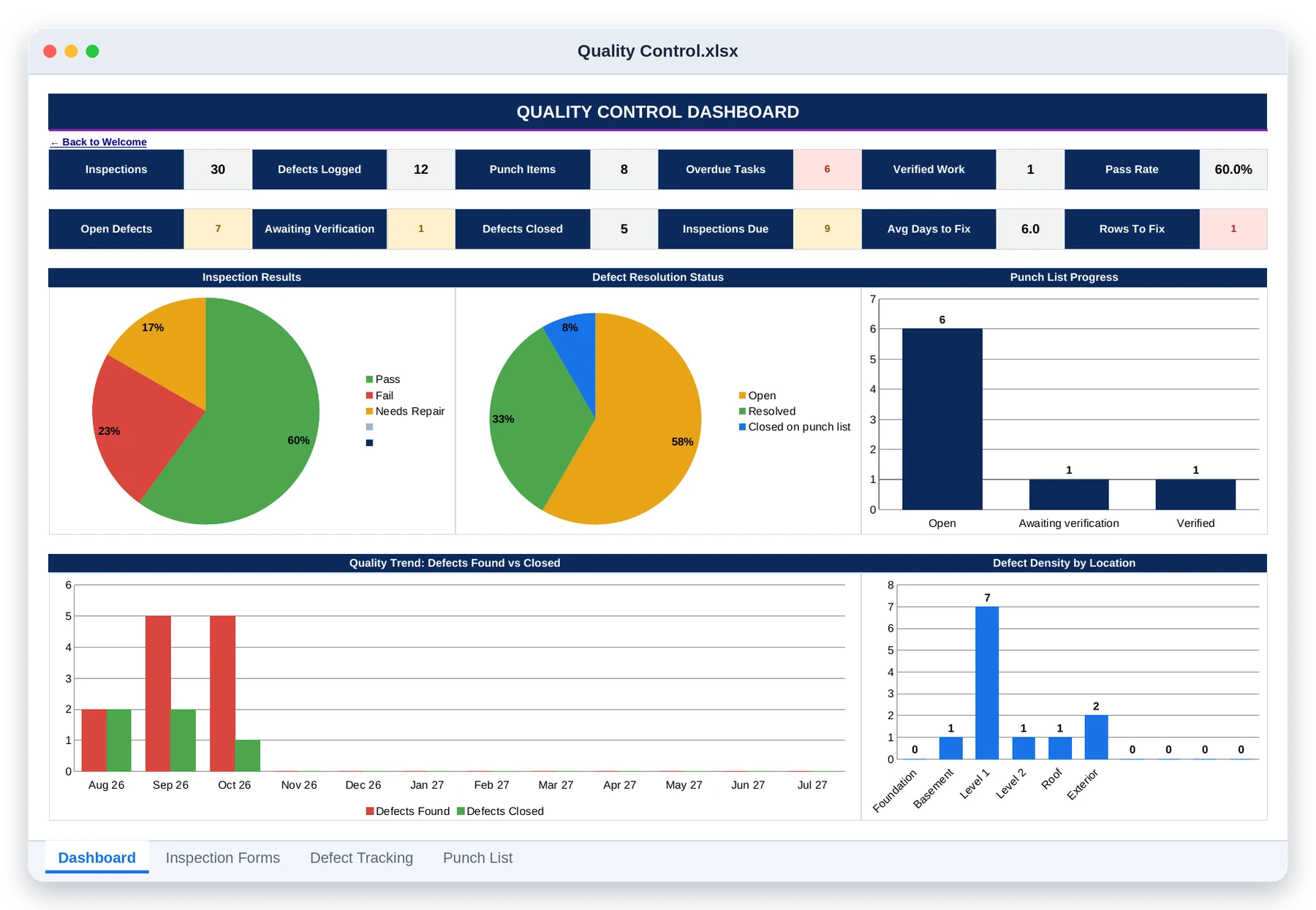
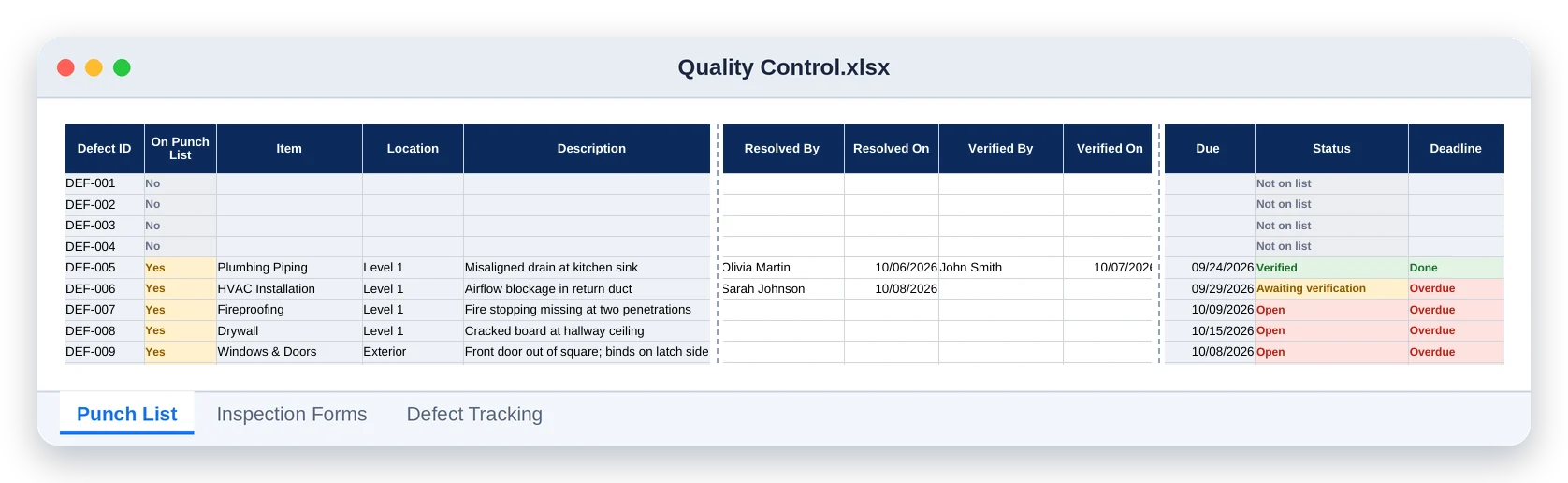
Quality Control: inspection to punch list, one chain

Dashboard · Inspections, defects, punch items, pass rate and defect density by location
Punch list · Unresolved defects roll in by themselves, then get resolved and verified

6 tabs

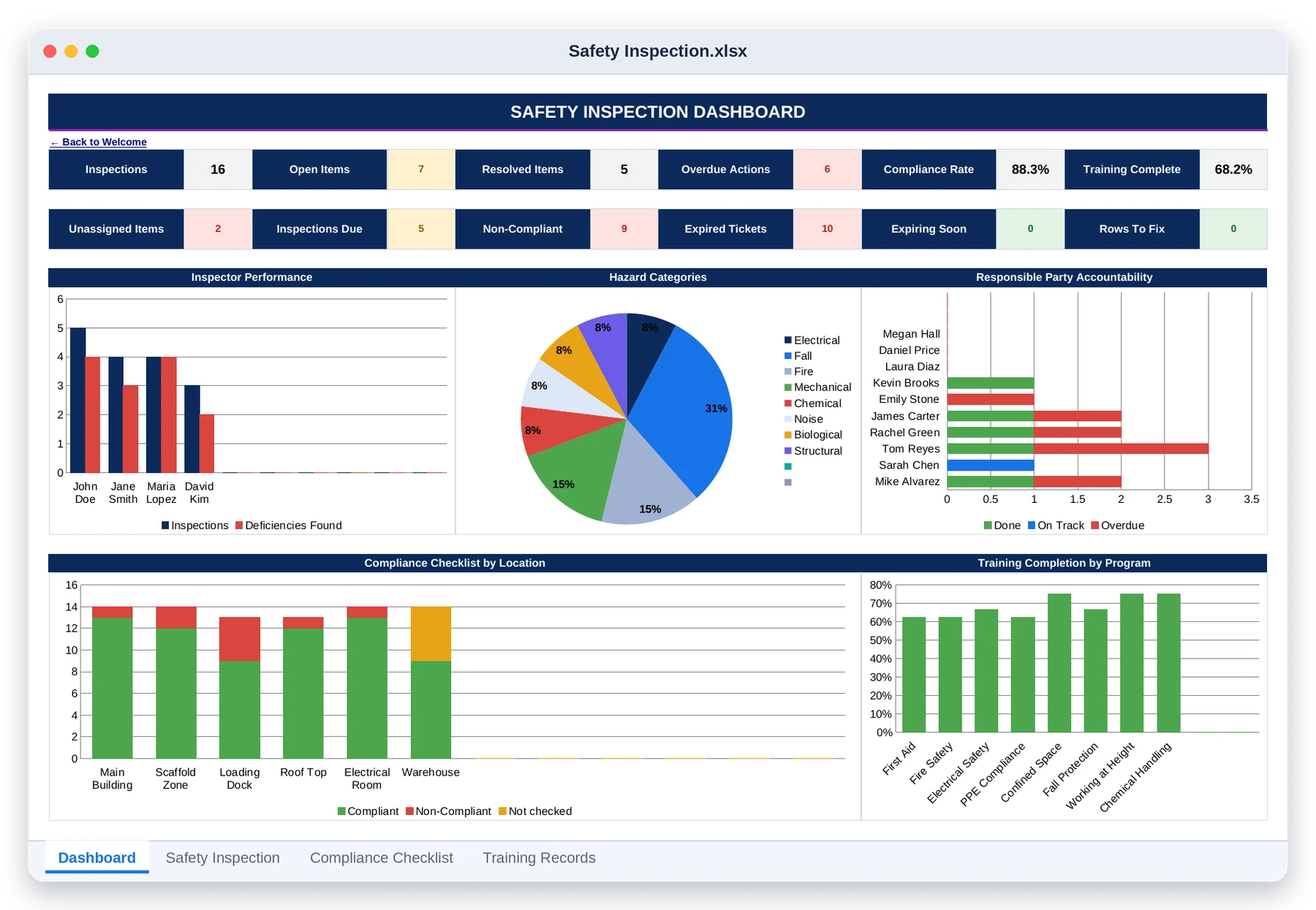
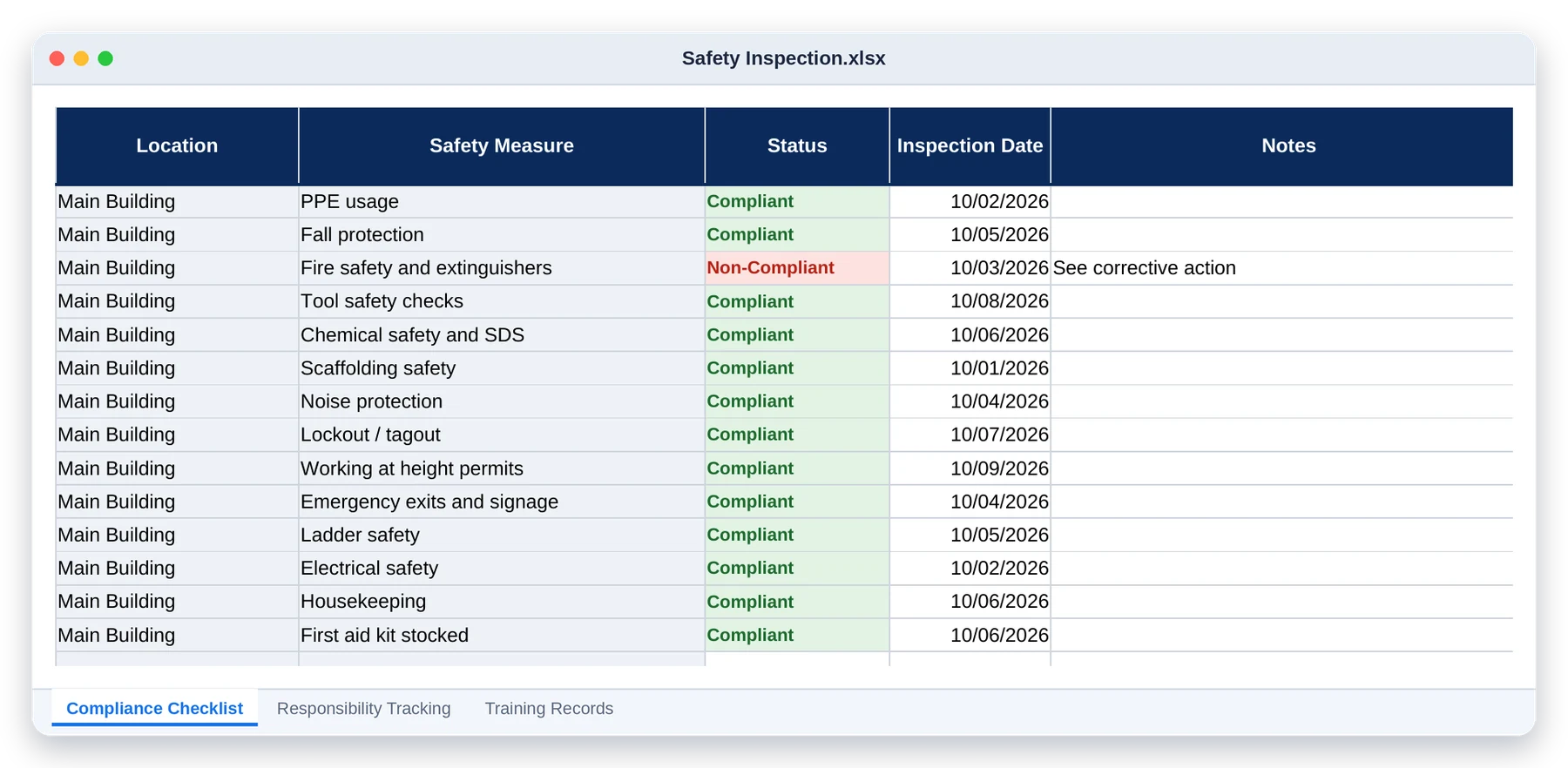
Safety Inspection: compliance you can actually show, site by site

Dashboard · Open items, compliance rate, accountability and training completion
Compliance checklist · Your master checklist, copied to every location and marked compliant or not

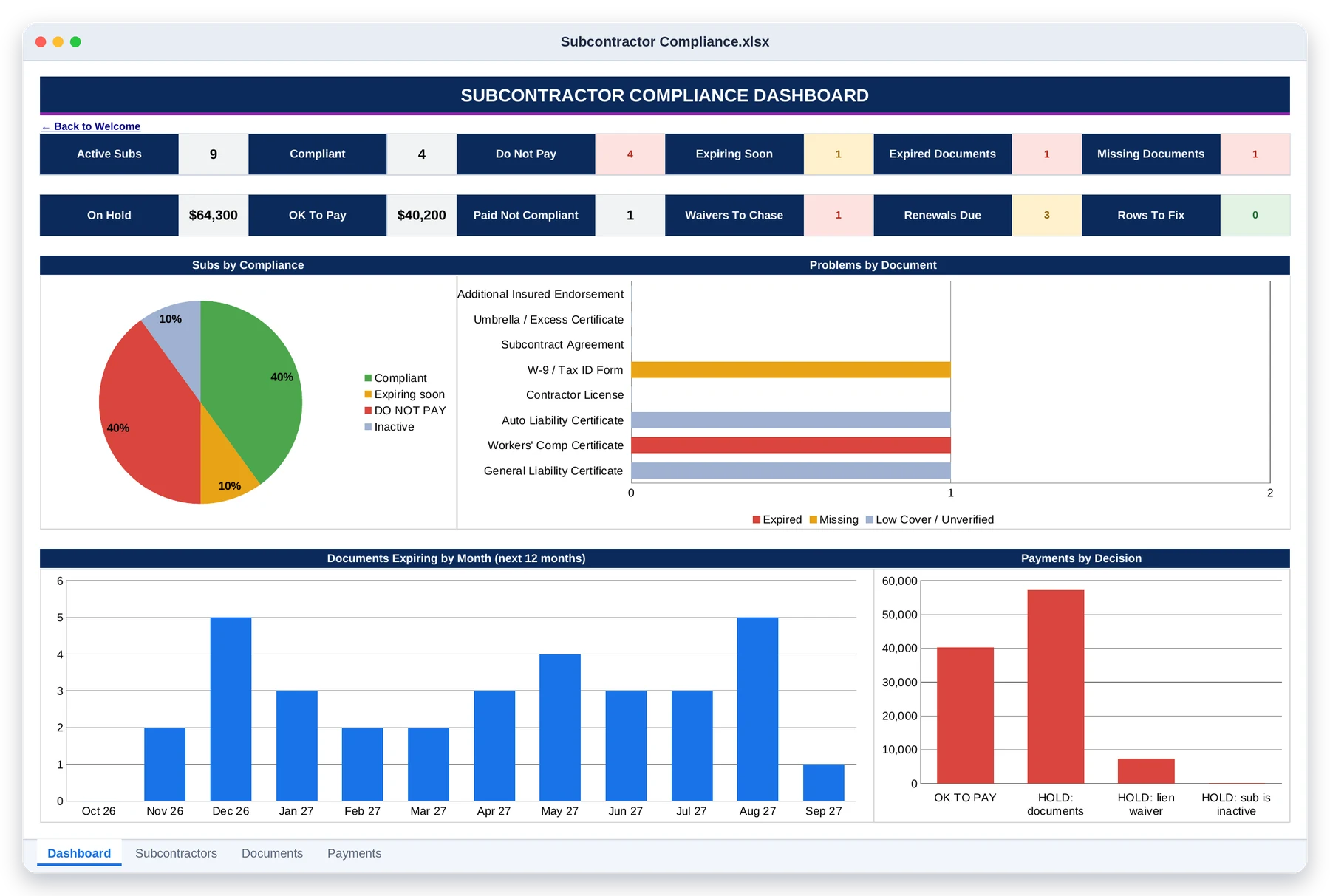
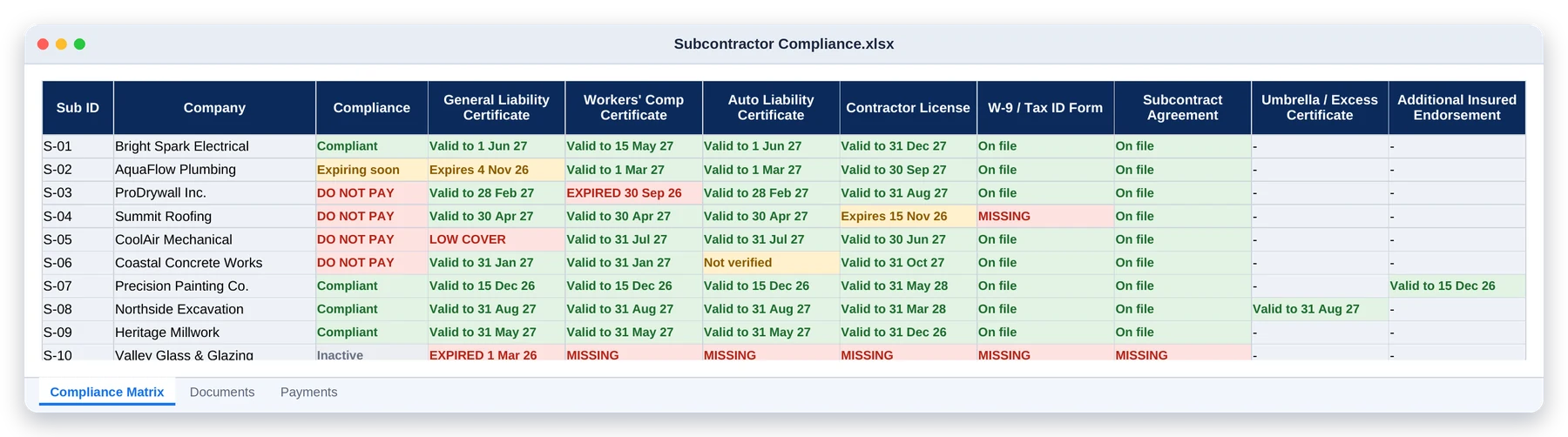
Subcontractor Compliance: never pay a sub whose insurance has lapsed

Dashboard · Who you can pay, who you can't, renewals due and payments on hold
Compliance matrix · Every sub against every document, green, amber or red

03

Get Paid

Bill every stage, chase what’s owed, and never be caught short on payroll.

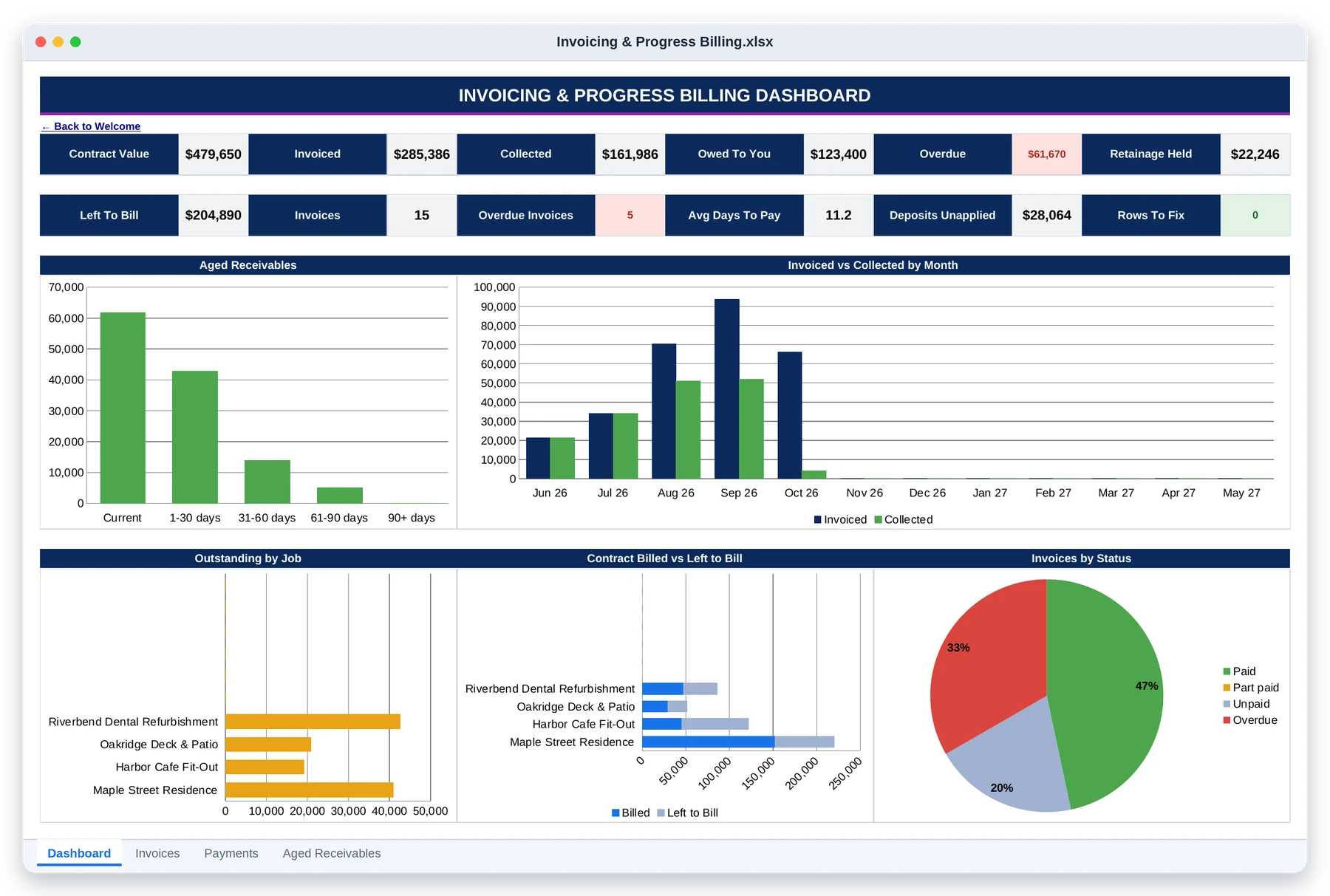
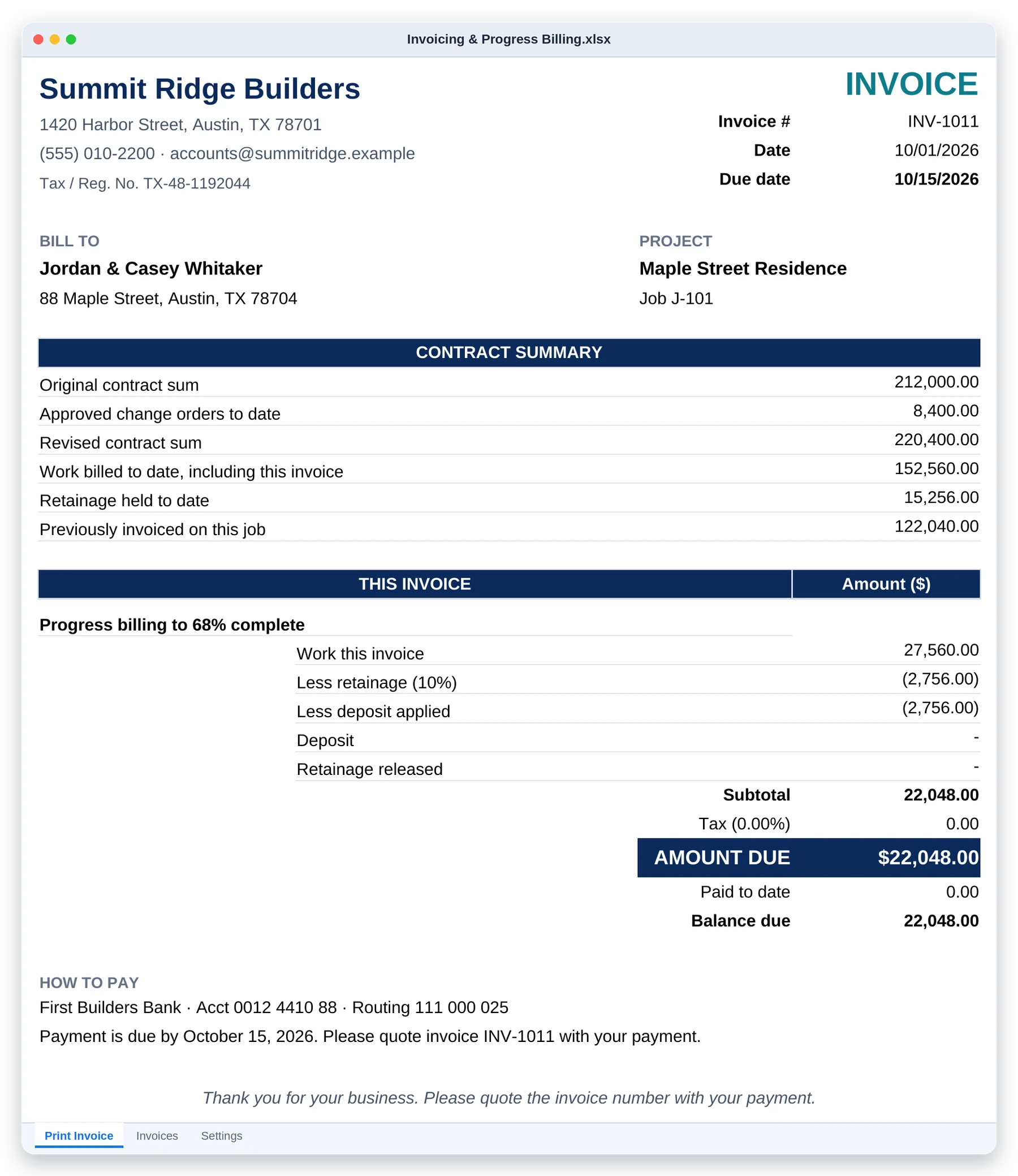
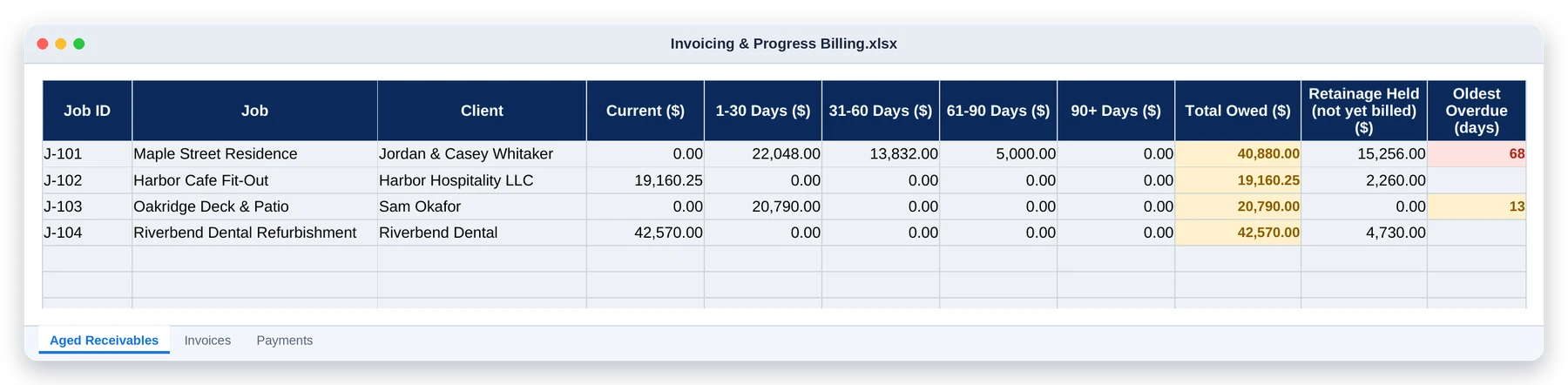
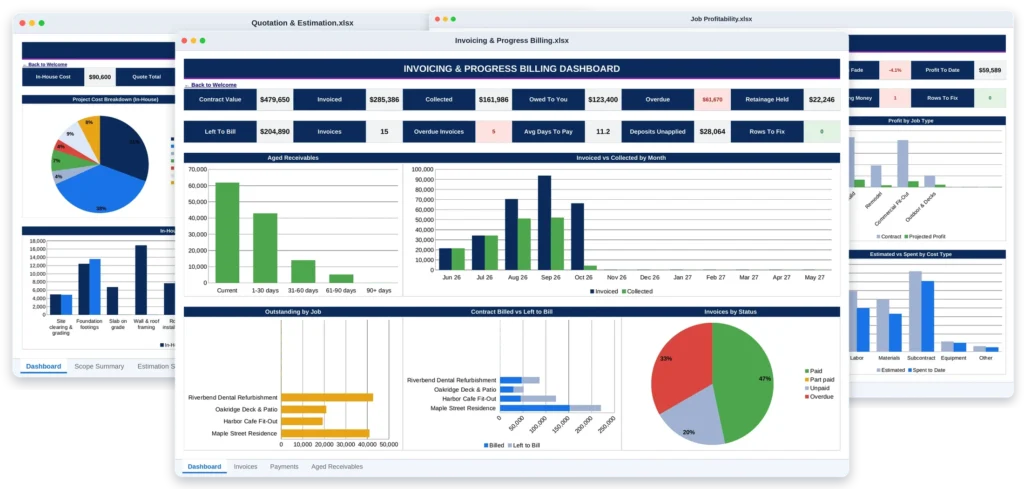
Invoicing & Progress Billing: turn every won job into invoices

Dashboard · Invoiced, collected, owed, overdue and retainage held, by job and by month
Printed invoice · Contract summary, this invoice, retainage, deposit credit, tax and amount due
Aged receivables · What each client owes: current, 1-30, 31-60, 61-90 and 90+ days

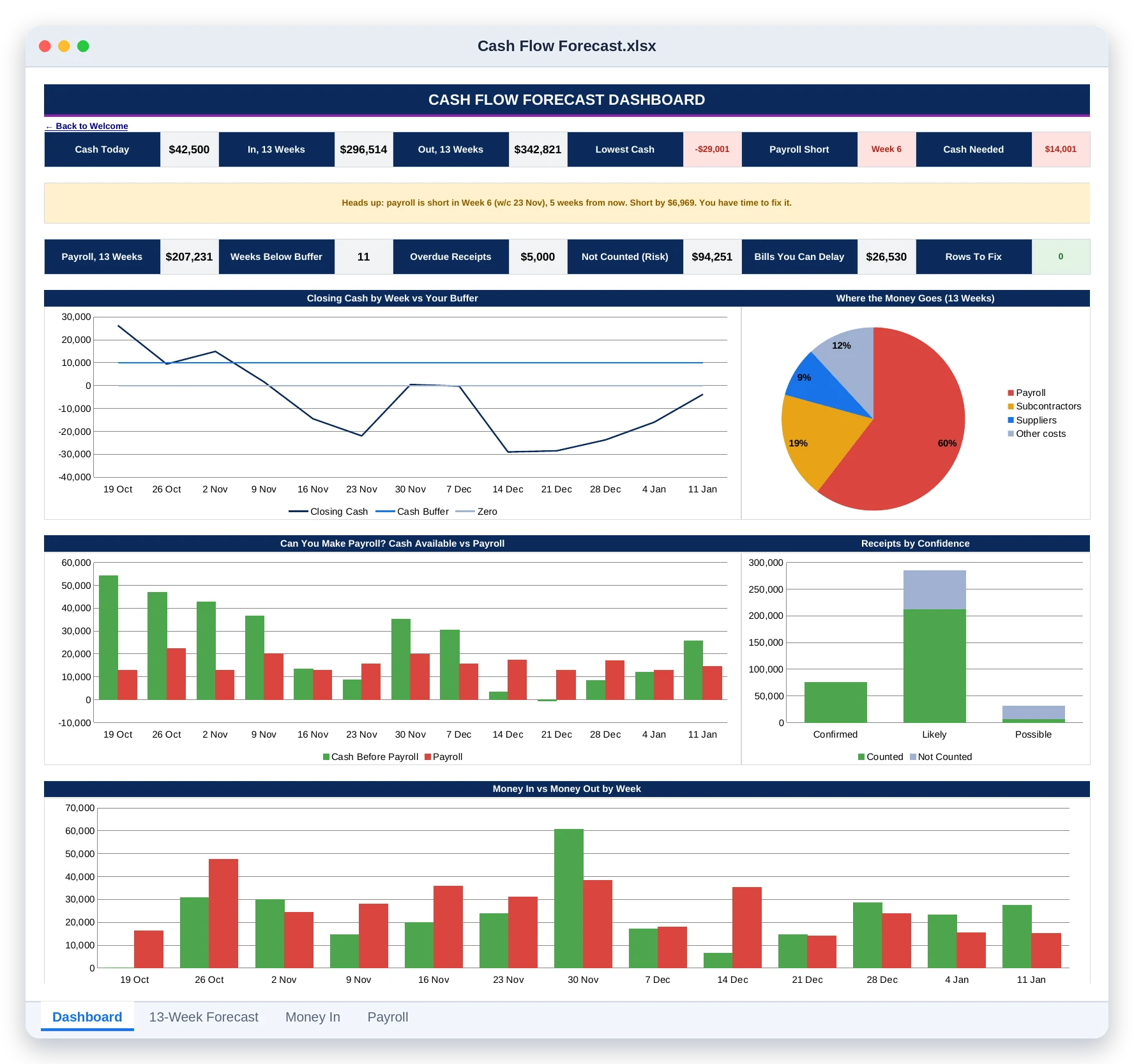
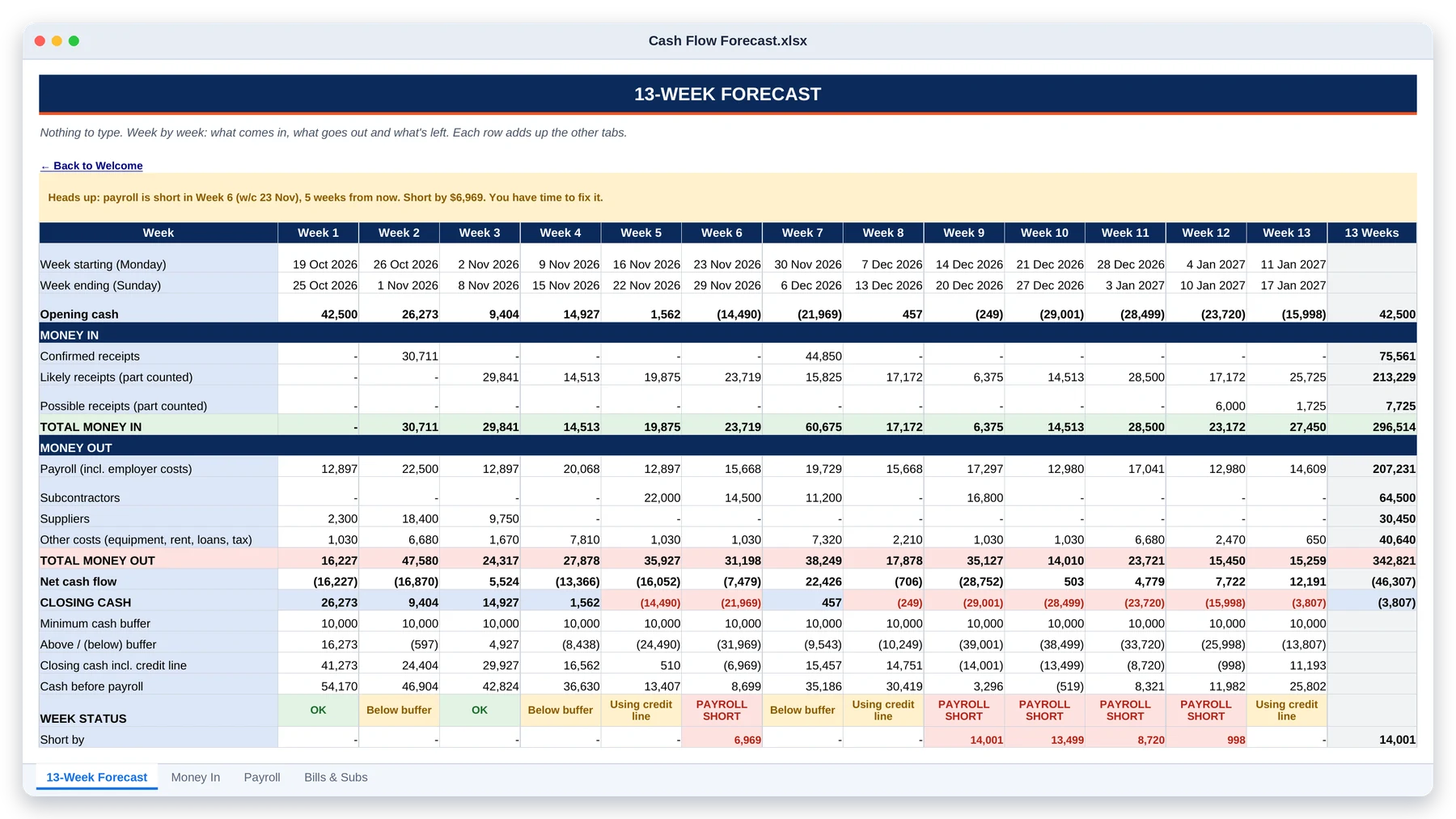
Cash Flow Forecast: see the week you can't make payroll, weeks before it comes

Dashboard · Closing cash against your buffer, payroll cover, receipts to chase and bills you could delay
13-week forecast · Opening cash, money in, money out and closing cash, with a status for every week

04

Know What You Made

Budget against actual on every job, and the margin you really earned.

8 tabs

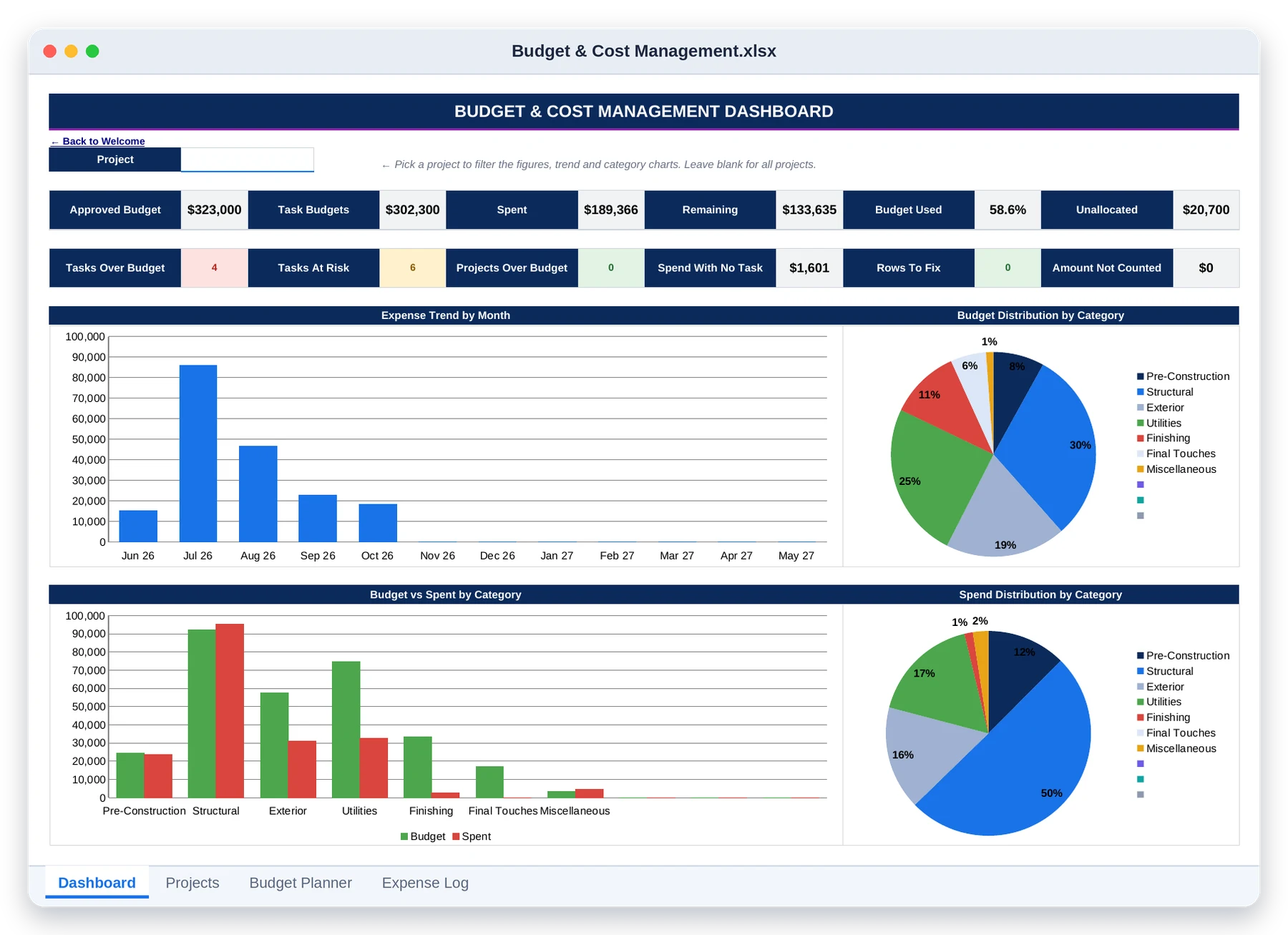
Budget & Cost Management: see the money while you can still act on it

Dashboard · Budget, spend, remaining and the monthly expense trend, filterable by project
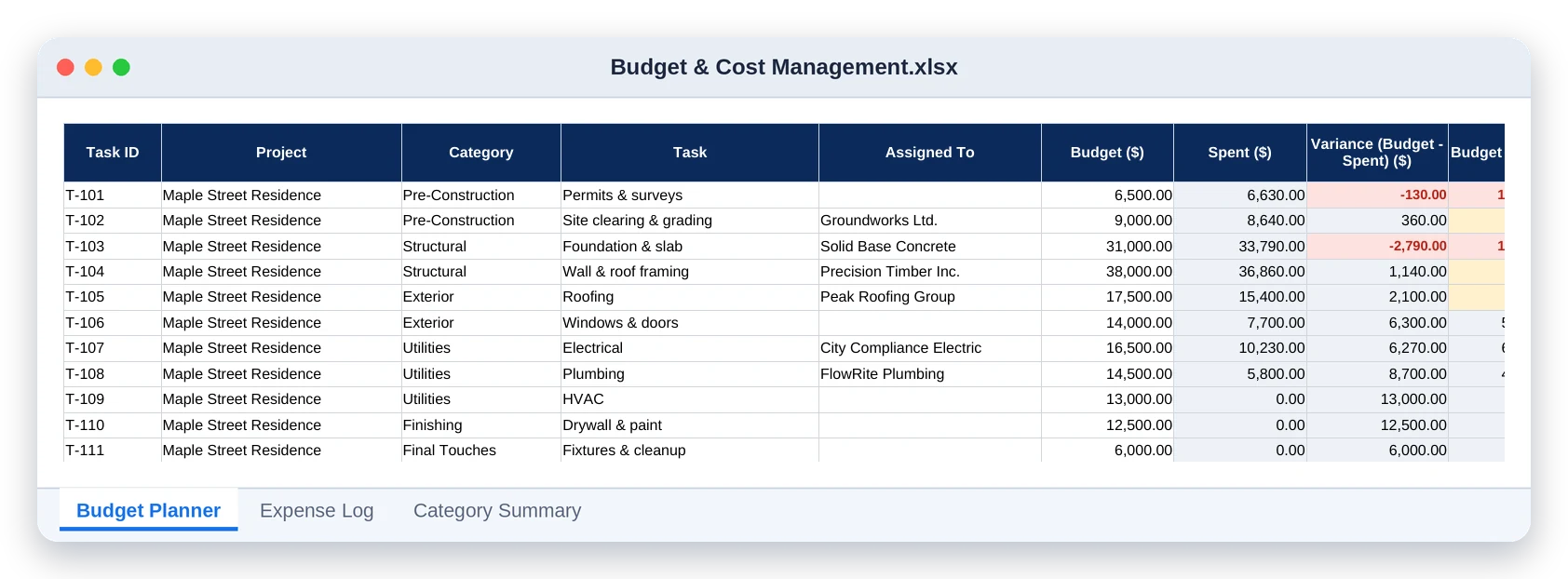
Budget planner · Each task's budget, spend and variance, with status flags that colour themselves

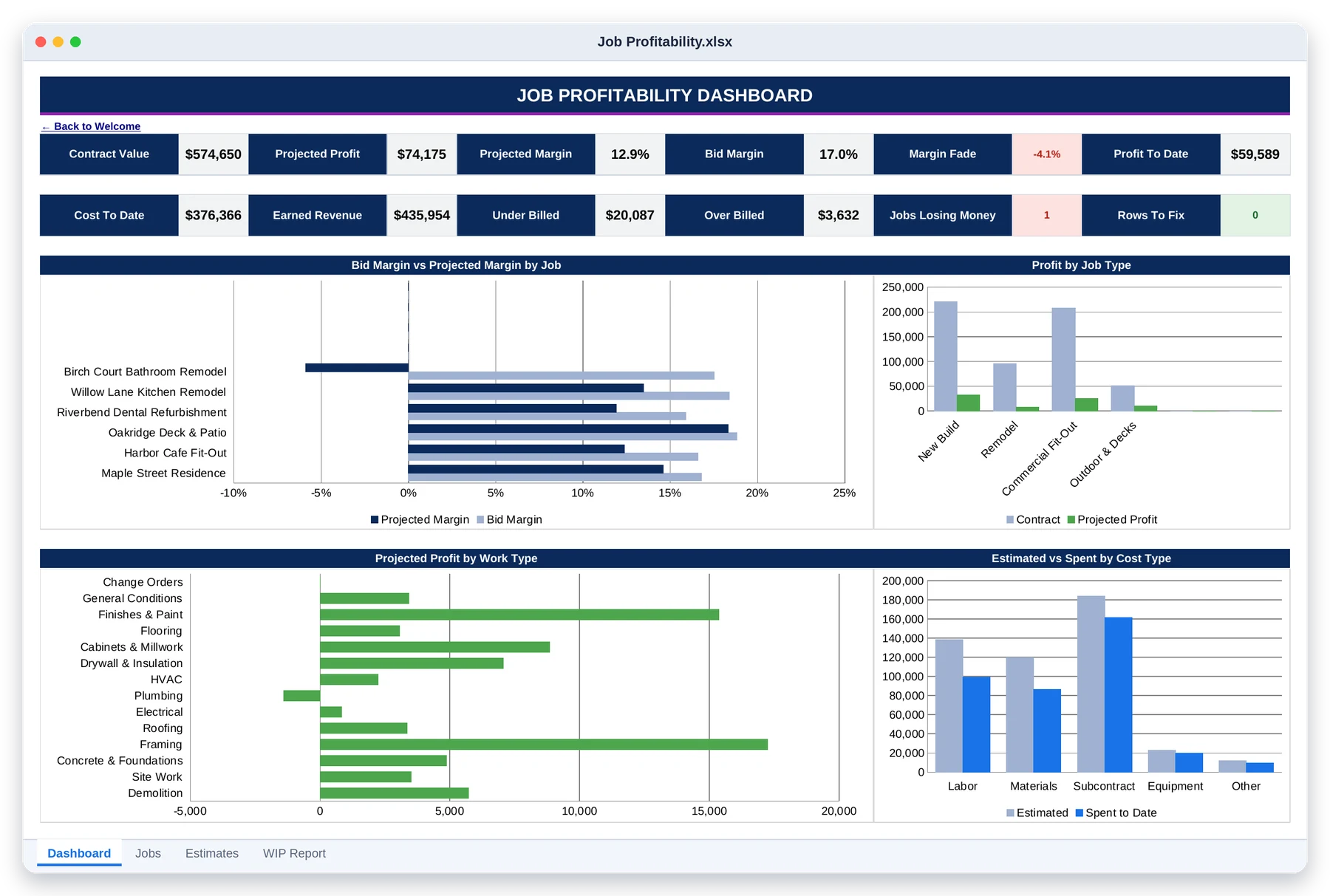
Job Profitability (WIP Report): which jobs and which kinds of work really make money

Dashboard · Projected profit and margin, margin fade, over/under billing and profit by work type
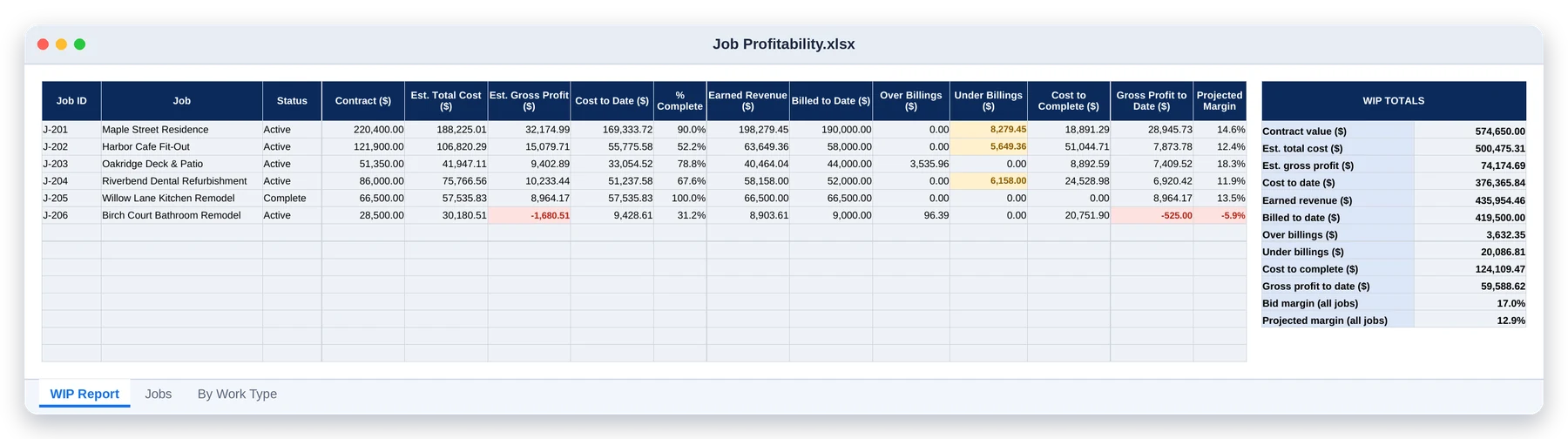
WIP report · Earned revenue, over and under billings and gross profit for every job

The Paperwork Clients, Inspectors And Insurers Ask To See

Print as many as you need. Fill them in on site, keep them in the job file, and you have the record when a dispute, a delay claim or an insurance question comes up.

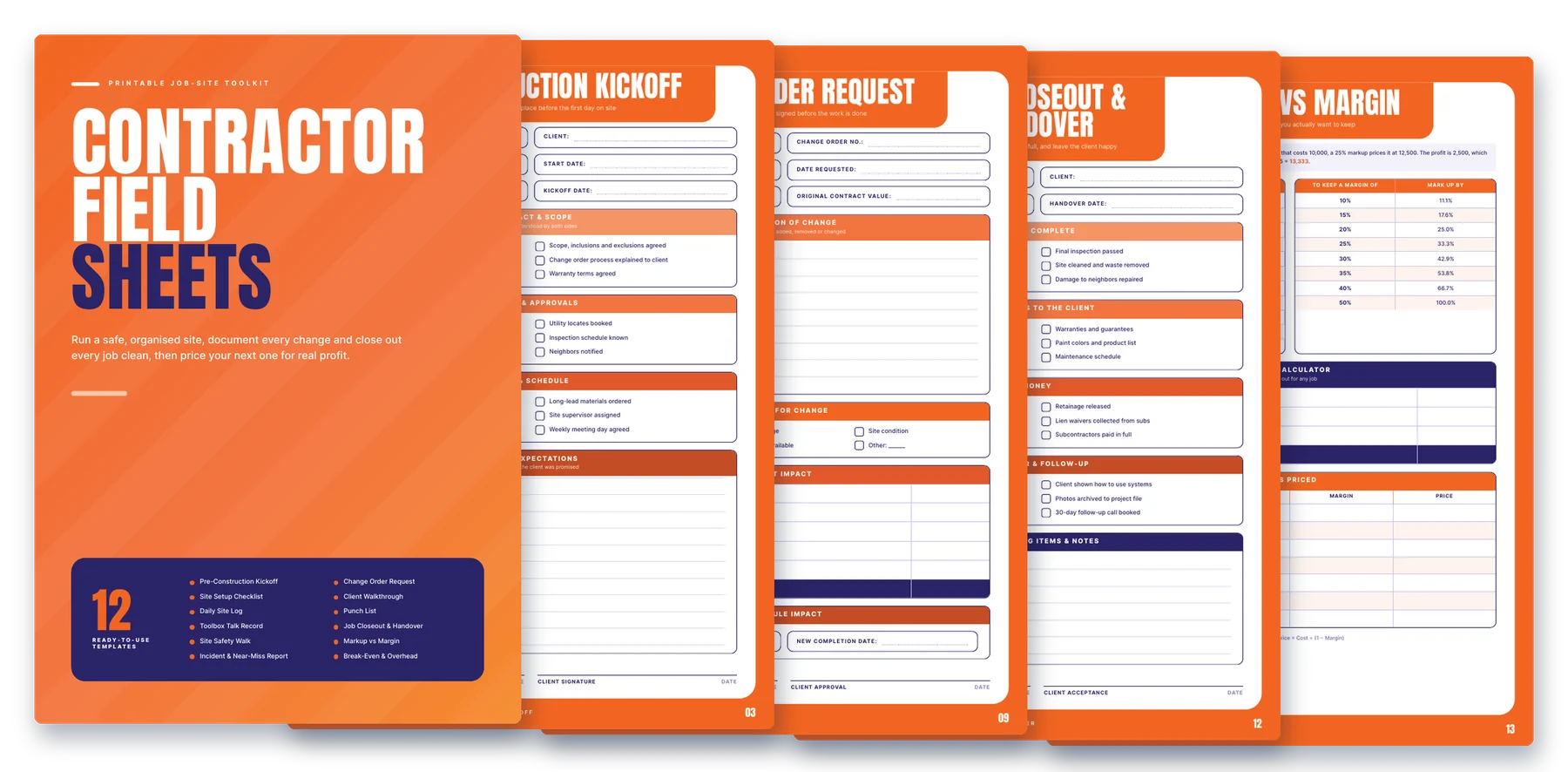
Field Sheets · 12 templates

From the kickoff meeting to the final handover, plus two pricing worksheets that show the profit you really keep.

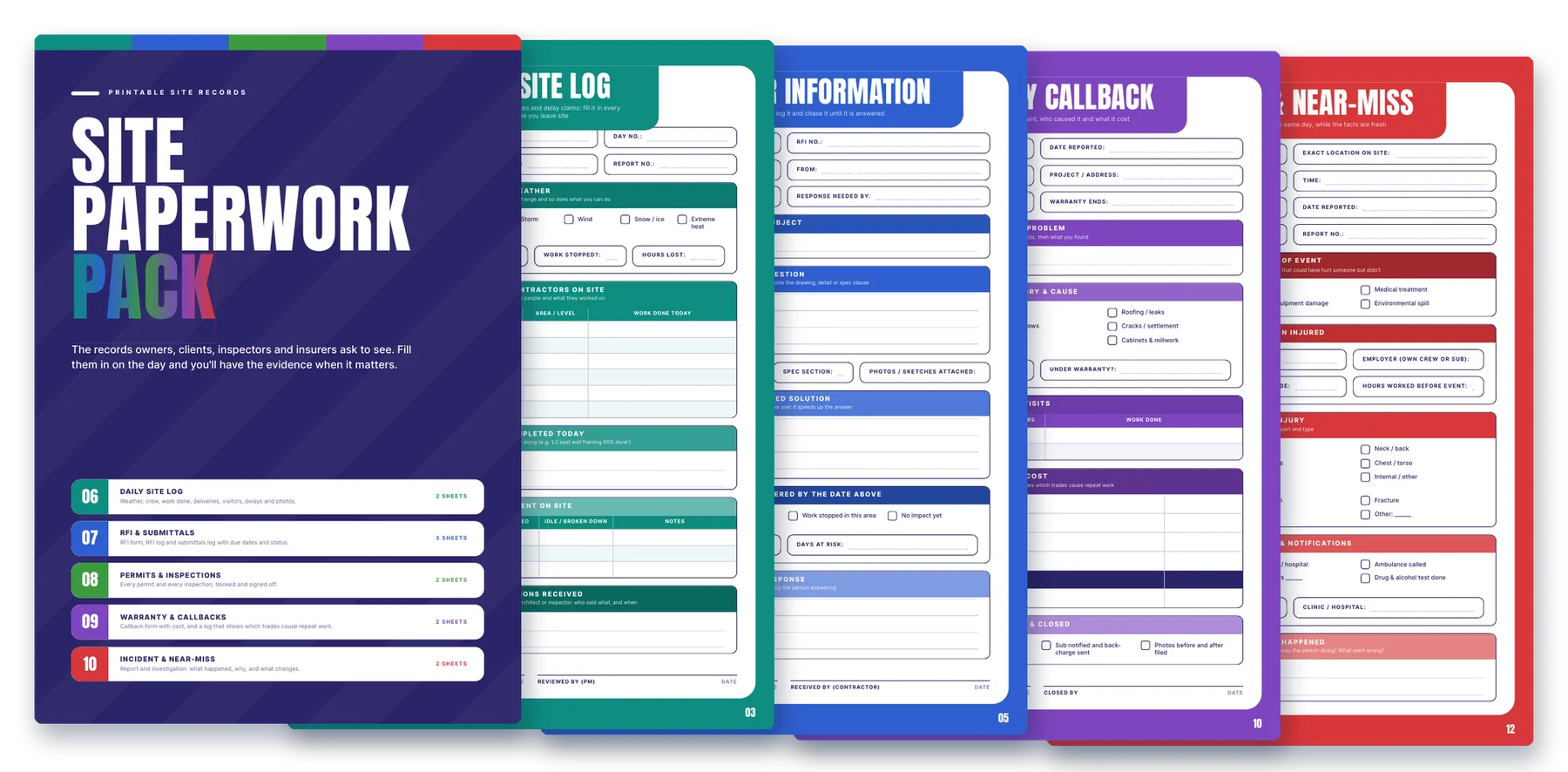
Site Paperwork Pack · 11 sheets

Five records, one colour each: daily log, RFIs and submittals, permits and inspections, warranty callbacks, and incidents.

Built properly, then checked

This Isn't A Template With Pretty Charts. It's A Working System.

13

connected tools

108

working tabs

160,000+

live formulas

23

printable sheets

153

currencies, pick yours once

0

formula errors in final testing
Every formula in every file was recalculated and its results checked value by value by a separate script: on the sample data, on an empty file, and on a file deliberately full of mistakes. The Check columns catch typos before they distort your totals, so you can trust the numbers you show a client, a bank or your accountant.

Here's everything you get today

One Toolkit. One Price. Everything Included.

All 13 tools and all 23 printable sheets, for one payment of

$197

No subscription. No per-user fees. Yours to keep.

30

day
guarantee

Run It On A Real Job. 30 Days. No Risk.

Download the toolkit, open every file and run it on a job you have right now. If it doesn’t save you time and show you money you were missing, ask for a refund within 30 days and you’ll get every cent back.

This is for you if…

This is not for you if…

Questions Contractors Ask

No. You type in the white cells; the shaded cells calculate themselves. Each tool opens on a Welcome page that walks you through it step by step.

Yes. Upload a file to Google Drive, open it with Google Sheets, and save it as a Google Sheet. All thirteen tools work there.

Twelve of the tools work in Excel 2010 or later. Quotation & Estimation needs Excel 2019 or Microsoft 365. Excel for Mac works too.

No. You pay once, download the files and keep them. There are no monthly or per-user fees.

Each tool is its own file, so you only open what you need. Timesheets has export tabs laid out in the same column order as Budget and Resource Management, so labor cost pastes straight in. Unpaid invoices and billed-to-date figures copy across from Invoicing into the Cash Flow Forecast and Job Profitability.

You set the rules: weekly limit, daily limit, double time and the rates. That covers the US federal 40-hour rule and daily-overtime states like California. Check the rules that apply to you with your payroll provider.

No. It keeps the record and flags what’s missing or expired against the requirements you set. Requirements and lien waiver rules vary by state and contract, so set them to match yours.

Yes. Pick it once on the Settings tab from 153 currencies, and every money column, dashboard and printed quote or invoice switches to it.

Select the white cells under the headers and press Delete. The formulas stay in place, ready for your own jobs.

Yes. They are A4 PDFs set up for printing; print as many copies as your jobs need.

Every Job You Run Without A System Is Money Left On The Table

Price it right, run it tight, bill every stage, see payroll trouble coming, and know what you really made. Everything, one download, today.
To your next profitable job.

P.S. That’s 13 tools, 108 tabs and 23 printable sheets for one payment of $197, covered by a 30-day money-back guarantee.

P.P.S. One missed progress bill, one payroll week you can’t cover, or one payment to an uninsured sub costs more than this whole toolkit. Get it now and run your next job off real numbers.

The Complete Contractor Toolkit · Works with Microsoft Excel and Google Sheets · Digital download
Enroll TODAY And Get This Exclusive Bonuses:

Ultimate 200+ Project Management Templates

300 Excel Spreadsheet Templates

What If You NEVER Have To Do Any HR Works From Scratch Again...(AND SAVE TIME AND MONEY!)

Why Choosing us?

KINDLY FIILL YOUR BILLING INFORMATION

— OR —

Billing details

Your Products

Ultimate Financial Dashboard (Ms Excel)
− +
$97.00

Your order

Product Subtotal
Ultimate Financial Dashboard (Ms Excel)  × 1 $97.00
Subtotal $97.00
Frequently Bought Together Discount -$0.00
Total $97.00

Your personal data will be used to process your order, support your experience throughout this website, and for other purposes described in our privacy policy.

QUESTIONS AND ANSWER

Absolutely! We designed these specifically for entrepreneurs who want financial clarity without becoming accountants. The dashboards translate your raw numbers into visual insights and plain-English recommendations. If you can enter basic financial data, you’ll get tremendous value.

Not at all! We designed these specifically for users with basic Excel knowledge. Simply input your data in the clearly marked cells, and the pre-built formulas handle everything else. Each template includes a “Help” tab explaining every calculation.

Yes! Our templates are compatible with Excel 2010, 2016, 2019, 2021, and Microsoft 365 on both Windows and Mac. We also provide Google Sheets versions of every template for cloud-based users.

Absolutely. While most users use the templates as-is, we provide an “unlocked” version of each template that allows full formula customization. We even include documentation explaining each calculation for those who want to modify them.

Our templates undergo rigorous testing by financial professionals, but if you ever find an issue, our template guarantee means we’ll fix it within 24 hours and provide the updated version immediately.

Yes, future updates will be provided to you via the Email ID, once it ready. 

When you join the toolkit, you get lifetime access – but isn’t that so intense, right – like who know where either of us will be later in our lifetime? Like what if I stop selling this product in 2-3 years, how is that lifetime? 

Well, if we  have a close the membership portal we put all the files into a downloadable folder and send them to you. What you pay for today, you’ll retain access to.
14-Days no questions asked, no “do-the-work”, we just ask that if you get value, you stick with us!

Customer Service +15052955968


This site is not a part of the Facebook (META)™ and/or Instagram™. Additionally, This site is NOT endorsed by Facebook (META)™ in any way. FACEBOOK is a trademark of FACEBOOK (META), Inc.